Key Takeaways
- Missing ownership causes most lake problems, and owners plus a catalog solve the first half of the list.
- Quality checks between zones, compaction and partitions fix wrong numbers and slow queries.
- Column-level access rules and cost tags keep sensitive data safe and bills predictable.
- Staged migrations with side-by-side checks avoid the half-moved state where you pay for two systems.
Data lakes look simple on a slide: put everything in one place and analyze it. In practice, teams run into the same eight problems, usually in the same order. If you recognize them, you are in good company, and good data lake consulting exists to spot them before they cost you a year.
Below are eight challenges from my client work, each with what causes it, how to fix it and which tools help. The table gives you a quick map, and you can jump straight to the one that hurts most.
The 8 Challenges at a Glance
| Challenge | Typical cause | First fix |
|---|---|---|
| 1. The Lake Turns Into a Data Swamp | Nobody owns it | Owners and catalog entries |
| 2. Poor Data Quality Flows In Unchecked | Nothing tests data on entry | Checks between zones |
| 3. Small Files Make Queries Slow and Expensive | Streaming writes tiny files | Compaction and partitions |
| 4. Security and Access Are Too Loose or Too Tight | Bucket-level permissions | Column-level rules |
| 5. Cloud Costs Grow Faster Than Value | Nobody owns the bill | Cost tags and lifecycle rules |
| 6. Teams Cannot Find or Trust the Data | No catalog or shared definitions | A catalog and metric definitions |
| 7. The Team Lacks Skills for Spark, Table Formats and Cloud Security | Hard-to-hire skills | Training and targeted help |
| 8. Migrating Old Warehouses and Hadoop Clusters Stalls | Old jobs nobody understands | Staged migration with side-by-side checks |
8 Data Lake Challenges and How to Solve Them
I ordered these by how early they tend to appear. If you are starting a lake, read from the top and compare each item with my list of data lake best practices. If you are firefighting, jump to the one that matches your last incident.
The Lake Turns Into a Data Swamp
A swamp starts innocently. Teams drop files into the lake because storage is cheap, and a year later nobody knows what half of it means, which copy is current or who can delete it. Analysts stop trusting the lake and go back to their own exports.
The cure is boring and effective: ownership, descriptions and rules for what may enter each zone. Data without an owner should not reach the curated zone, and unused data should expire.
How to clean up a swamp
- List every dataset in the lake and mark the ones with no known owner.
- Assign owners for the top twenty datasets by usage first.
- Add a description, refresh schedule and sensitivity tag to each catalog entry.
- Move ownerless data to a quarantine area with a deletion date.
- Block new datasets from the curated zone until they have an owner.
Catalog options
A catalog such as AWS Glue Data Catalog, Unity Catalog or an open-source option holds the entries. Even a shared sheet works for the first month.
Poor Data Quality Flows In Unchecked
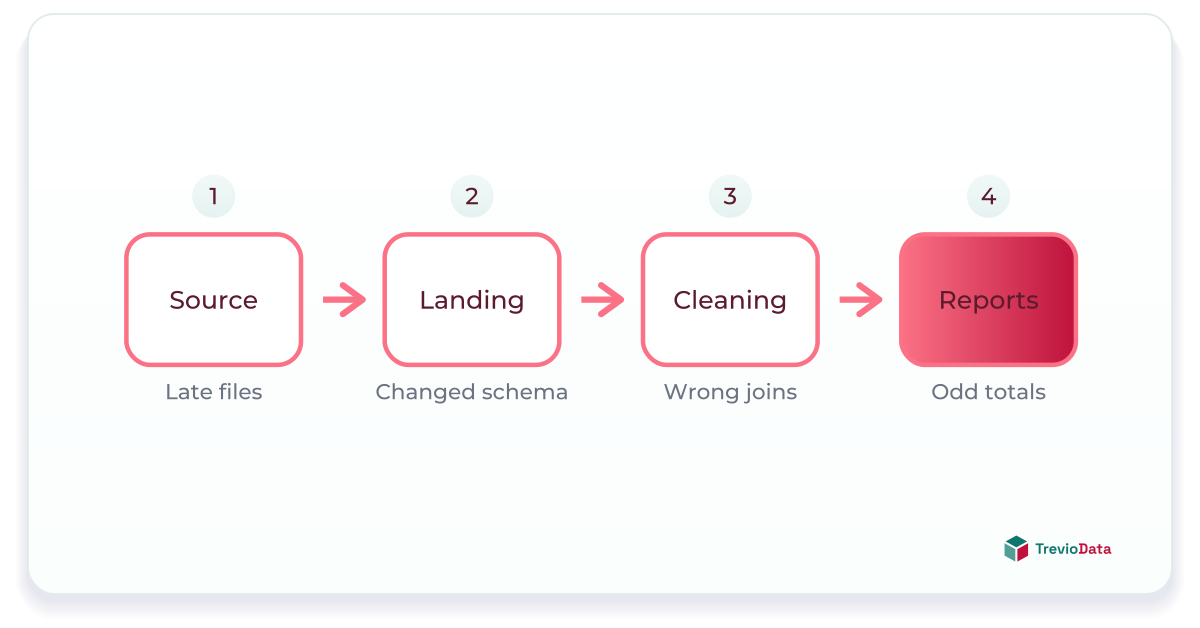
A lake accepts anything, which is its strength and its danger. Duplicates, changed column names and empty keys land silently, and reports built on top show wrong numbers that look believable.
Quality has to be checked where data crosses a boundary. Test freshness, row counts, key uniqueness and accepted values when data moves from raw to cleaned and from cleaned to curated, and quarantine failures.
How to check data at the door
- Profile each source for nulls, duplicates and odd values.
- Write tests for keys, required fields and accepted values.
- Quarantine failing rows instead of dropping them silently.
- Send a weekly quality summary to every source owner.
- Track the failure rate over time and set a target.
Tools for quality checks
dbt tests, Great Expectations and the quality features of Databricks or Snowflake cover most checks.
Small Files Make Queries Slow and Expensive
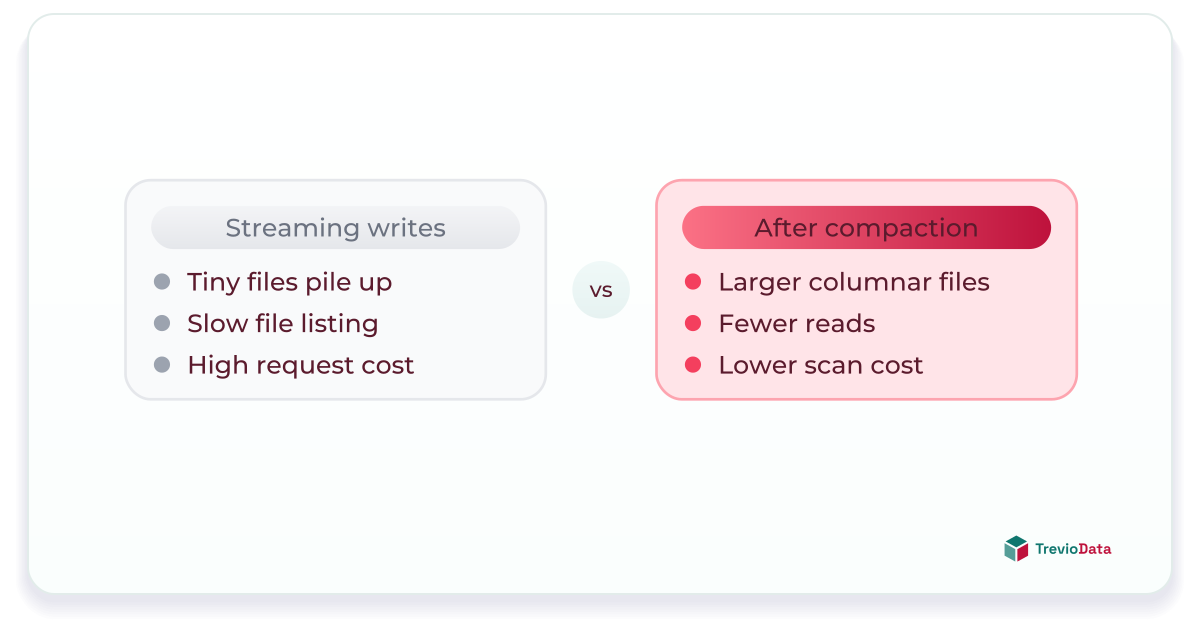
Event streams and frequent batch jobs write many tiny files. Query engines must open each one, so a table that looks small can take minutes to read and cost far more in requests than it should.
The fix is file layout. Compact small files into larger columnar files, partition by a field people filter on and let table formats handle the bookkeeping.
How to repair your file layout
- Count files per table and find the worst offenders.
- Set a target file size in the hundreds of megabytes.
- Schedule compaction jobs for streaming tables.
- Choose partition columns with a modest number of values, such as date.
- Re-test the slowest queries after each change.
Tools for compaction
Iceberg, Delta Lake and Hudi include compaction features, and managed engines can run them for you.
Security and Access Are Too Loose or Too Tight
Teams either open the bucket to everyone because it is easier, or lock it down so tightly that nobody can work. Both are costly: one risks a privacy incident, and the other pushes people to make private copies.
Access should follow the data. Grant by dataset and column, mask sensitive fields and log reads, so analysts see what they need and nothing more.
How to open the right doors
- Tag columns that contain personal or sensitive data.
- Create role-based groups instead of individual grants.
- Apply masking or hashing to sensitive columns in the curated zone.
- Turn on access logging and review it monthly.
- Run a quarterly access review with data owners.
Tools for access control
AWS Lake Formation, Unity Catalog, Microsoft Purview and the native controls of your engine support column-level rules.
Cloud Costs Grow Faster Than Value
Storage is cheap, but forgotten copies, always-on clusters and inefficient queries are not. The bill creeps up month by month, and finance asks questions nobody can answer by team or dataset.
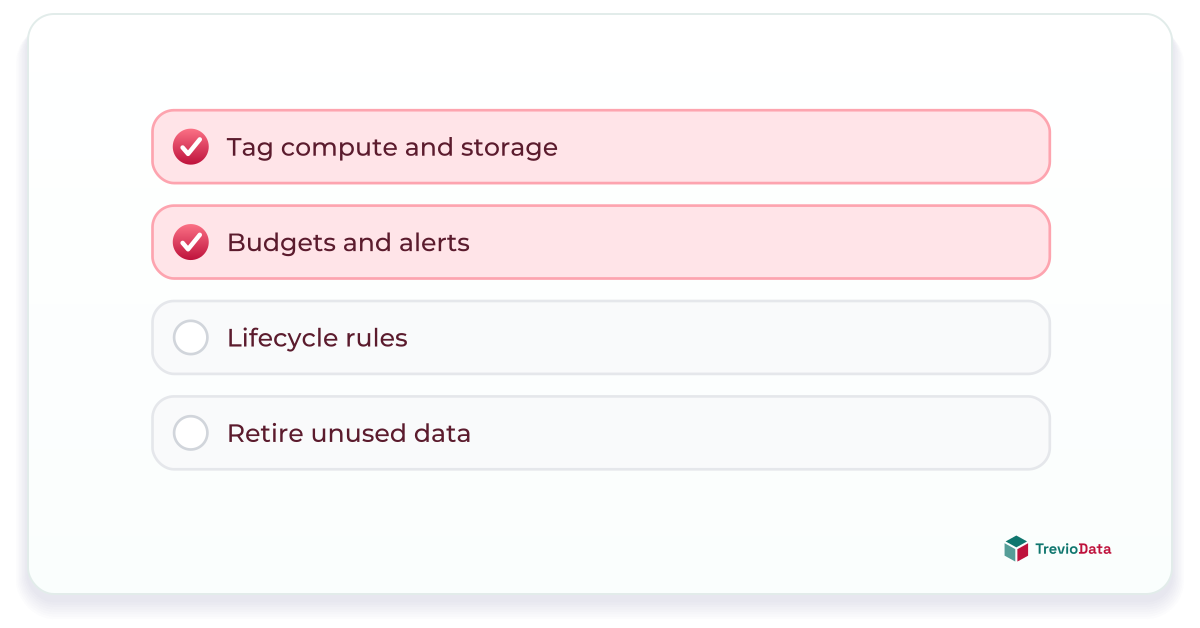
Make cost visible and give it an owner. Tag compute and storage, set budgets and alerts, and apply lifecycle rules that move cold data to cheaper tiers.
How to bring the bill down
- Tag every resource by team and dataset.
- Set monthly budgets with alerts at 80 percent.
- Review the five costliest queries and clusters each month.
- Apply lifecycle rules to move cold data to cheaper storage.
- Delete duplicate copies after a notice period.
Tools for cost visibility
Cloud cost tools from AWS, Azure and Google, plus the usage views in Databricks and Snowflake, show spend by tag.
Teams Cannot Find or Trust the Data
The data is there, but analysts spend hours asking colleagues which table to use. Two teams calculate revenue in different ways, and meetings turn into arguments about whose number is right.
Findability needs a catalog, and trust needs agreed definitions. Document the key metrics once, build them in the curated zone and point every dashboard at them.
How to make data findable
- Pick the ten metrics that cause the most arguments.
- Agree one definition for each with its business owner.
- Build them once in curated tables.
- Publish them in the catalog with examples.
- Retire reports that use private versions.
Tools for definitions
A catalog with search and lineage, plus a semantic layer in your BI or query engine, helps keep definitions in one place.
The Team Lacks Skills for Spark, Table Formats and Cloud Security
Lakes combine cloud security, distributed processing and data modeling. Few people have all three skills, and hiring is slow and expensive. A single engineer who knows everything is a risk the day they leave.
Mix training, simple choices and outside help. Choose managed services where they reduce work, and bring in experts for the design and the first pipelines while your team learns.
How to close the skills gap
- List the skills your lake needs and rate your team on each.
- Pick managed services that remove the hardest operations work.
- Pair your engineers with an expert on the first two pipelines.
- Document runbooks for the ten most likely incidents.
- Plan a second engineer for every critical area.
Where to find help
Vendor training, certification paths and an outside partner for the first phases are the usual routes.
Migrating Old Warehouses and Hadoop Clusters Stalls
Moving from an old Hadoop cluster or warehouse sounds simple until you find jobs with no owner, undocumented logic and reports that depend on quirks. Teams freeze halfway, paying for both systems.
Migrate in stages. Inventory what exists, retire what nobody uses, move the least risky workloads first and run old and new side by side until the numbers match.
How to move without a freeze
- Inventory jobs, tables and reports with their last use date.
- Retire anything with no users for a quarter.
- Move one low-risk workload as a pilot.
- Compare old and new outputs for several cycles.
- Switch reports over only when results match, then shut down the old system.
Tools for migration
Migration tooling from your cloud vendor and table format converters help, and lineage tools show hidden dependencies.
Which Challenge to Tackle First
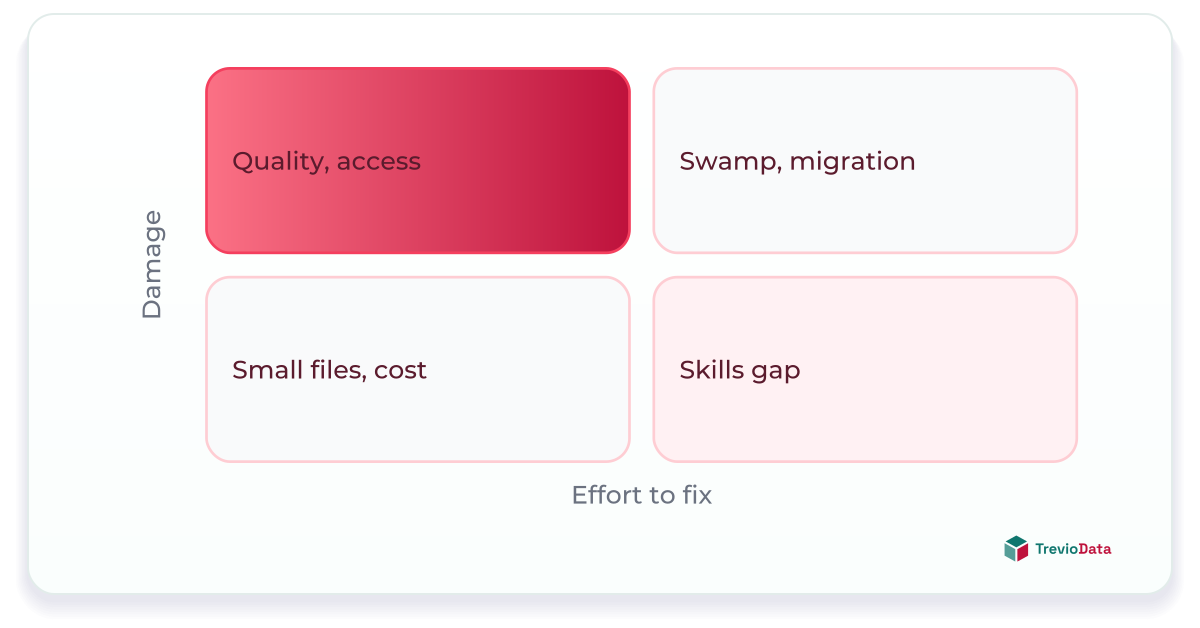
Do not fix all eight at once. In my client work, the order that removes the most pain starts with ownership and quality, because everything else depends on trusted data. Next comes access control if sensitive data is involved, then cost and file layout, then definitions and skills.
- If people distrust numbers, start with challenges 1 and 2.
- If queries are slow or bills are rising, start with challenges 3 and 5.
- If a privacy question made you nervous, start with challenge 4.
- If a move from an old platform stalled, start with challenge 8.
If you are still planning, a clear data lake strategy prevents several of these before they appear, and a phased data lake implementation plan keeps scope under control. Some tools handle several challenges at once, and my ranking of data lake tools shows which. Before you commit, it also helps to read the data lake pros and cons so you know what you are signing up for.
How to Choose Between Fixing In-House and Getting Help
Fix it in-house when you have engineers with cloud and table-format experience and the problem is clear, such as compaction or cost tags. Get help when the problem is structural, such as an unplanned migration, missing ownership or a security gap with personal data. A short assessment will tell you which side you are on, and the cost of waiting is usually higher than the cost of asking.
Questions About Data Lake Challenges
What Is the Biggest Data Lake Challenge?
Lack of ownership is the root of most problems. Without owners, data lands with no descriptions or checks, and the lake turns into a swamp that nobody trusts.
Why Do Data Lakes Fail?
They usually fail because they start with technology instead of business goals, load data with no owners or checks, and have no cost or access controls. People then stop using the lake.
How Do I Stop My Data Lake Becoming a Data Swamp?
Use zones with clear rules, give every dataset an owner and catalog entry, test quality between zones and expire data nobody uses.
Why Are My Data Lake Queries So Slow?
Common causes are millions of small files, no partitioning and row-based formats such as CSV. Compact files, partition large tables and store analytics data in Parquet or another columnar format.
How Much Does a Data Lake Cost to Run?
Storage is cents per GB per month, and the rest is compute, pipelines and people. Costs rise when copies pile up and clusters stay on, so tag by team and review monthly.
Is a Data Lake Secure Enough for Personal Data?
It can be, with encryption, least-privilege groups, column masking and access logs. Check your own legal obligations with your privacy lead, because rules depend on sector and region.
Should I Migrate My Warehouse to a Data Lake?
Not always. If your data is structured and your reports work, a warehouse is simpler. Many teams add a lake beside it for raw history and machine learning, or move to a lakehouse in stages.
Note: This article is general information, not legal, financial or tax advice. Figures and examples are estimates based on typical projects, so check current details with your providers and advisers before you decide.
Was this article helpful?
Thank you for letting us know.
Camille leads the Trevio editorial team and works with our consultants to turn real client projects into practical guides on data strategy, engineering and governance. Before joining Trevio, she spent 11 years in data engineering and analytics roles. She has since edited more than 300 articles on data management and reviewed pipelines and platforms from over 100 client projects. She is based in Denver, Colorado.