Key Takeaways
- Fivetran, Airbyte and Hevo Data suit analytics teams that want data in a warehouse, and Airbyte Core is free if you can host it.
- Boomi, MuleSoft, Workato and SnapLogic are iPaaS platforms for connecting business applications, and none of them publishes full prices.
- Informatica and Qlik Talend Cloud fit larger companies that need data quality and governance next to integration.
- AWS Glue and Azure Data Factory are the cheapest route if your data already lives in AWS or Azure and your team writes code.
The Best Data Integration Tools at a Glance
| Tool | Type | Best for |
|---|---|---|
| 1. Fivetran | Managed ELT | Teams that want connectors maintained for them |
| 2. Airbyte | Open-source ELT | Teams that want free self-hosting or custom connectors |
| 3. Informatica | Enterprise ETL and iPaaS | Large enterprises with complex governance and hybrid estates |
| 4. Qlik Talend Cloud | ETL, ELT and data quality | Teams that want integration and data quality in one tool |
| 5. Matillion | Cloud ELT and transformation | Warehouse-centered teams that want a visual builder |
| 6. Azure Data Factory | Cloud ETL and ELT service | Teams already running on Microsoft Azure |
| 7. AWS Glue | Serverless ETL | AWS-based teams that write Spark or Python jobs |
| 8. MuleSoft Anypoint Platform | API-led iPaaS | Enterprises that connect applications through managed APIs |
| 9. Boomi | iPaaS | Mid-size and large firms that need fast application integration |
| 10. Workato | Automation iPaaS | Business and IT teams that automate across SaaS apps |
| 11. SnapLogic | iPaaS | Enterprises that combine application and data integration |
| 12. Hevo Data | No-code ELT | Small data teams that want simple, event-based pricing |
The 12 Best Data Integration Tools, Ranked
I start with the tools most analytics teams touch first and move toward the enterprise platforms. The tool is only part of the result: in data integration consulting projects, mapping, testing and ownership decide more than the logo on the invoice. If you are still setting direction, my notes on data integration strategy explain what to decide before you shortlist vendors.
Fivetran
The Lowest-Maintenance Way to Copy SaaS and Database Data Into Your Warehouse
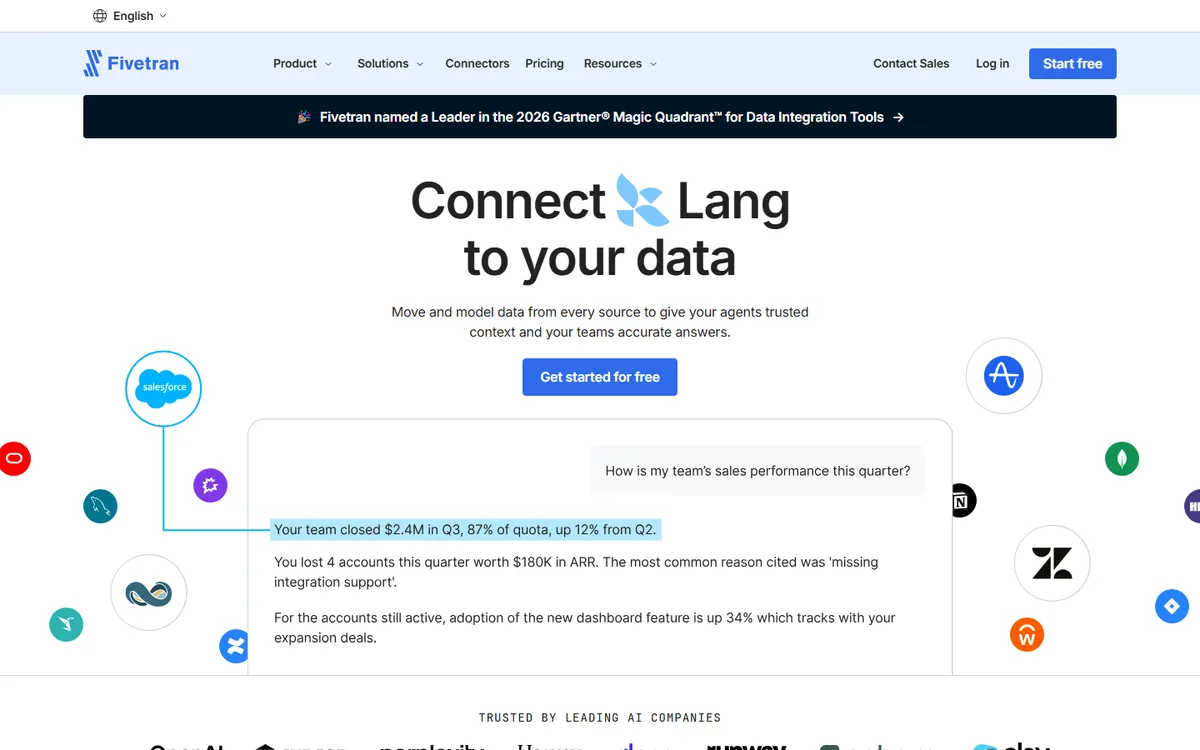
Fivetran is a managed ELT service with hundreds of prebuilt connectors that copy source data into a warehouse and keep it in sync.
Fivetran sells you time. You pick a source such as Salesforce, Stripe or Postgres, point it at your warehouse, and the connector handles schema changes, retries and incremental updates. For most teams I work with, that replaces weeks of custom API code and the maintenance that follows it.
The catch is cost control. Fivetran bills by monthly active rows, so a noisy table that updates constantly can raise your invoice quickly. In my client work, the fix is to check which tables really need syncing and set the sync frequency per connector before you roll it out widely. It also does little beyond loading, so you still need dbt or similar for modeling.
Pros of Fivetran
- Connectors are maintained by the vendor, so API changes stop being your problem
- Setup takes minutes and syncs are reliable
- A Free plan covers low-volume use
Cons of Fivetran
- Monthly active row pricing is hard to predict on busy sources
- It loads data but does not transform it
Fivetran Pricing
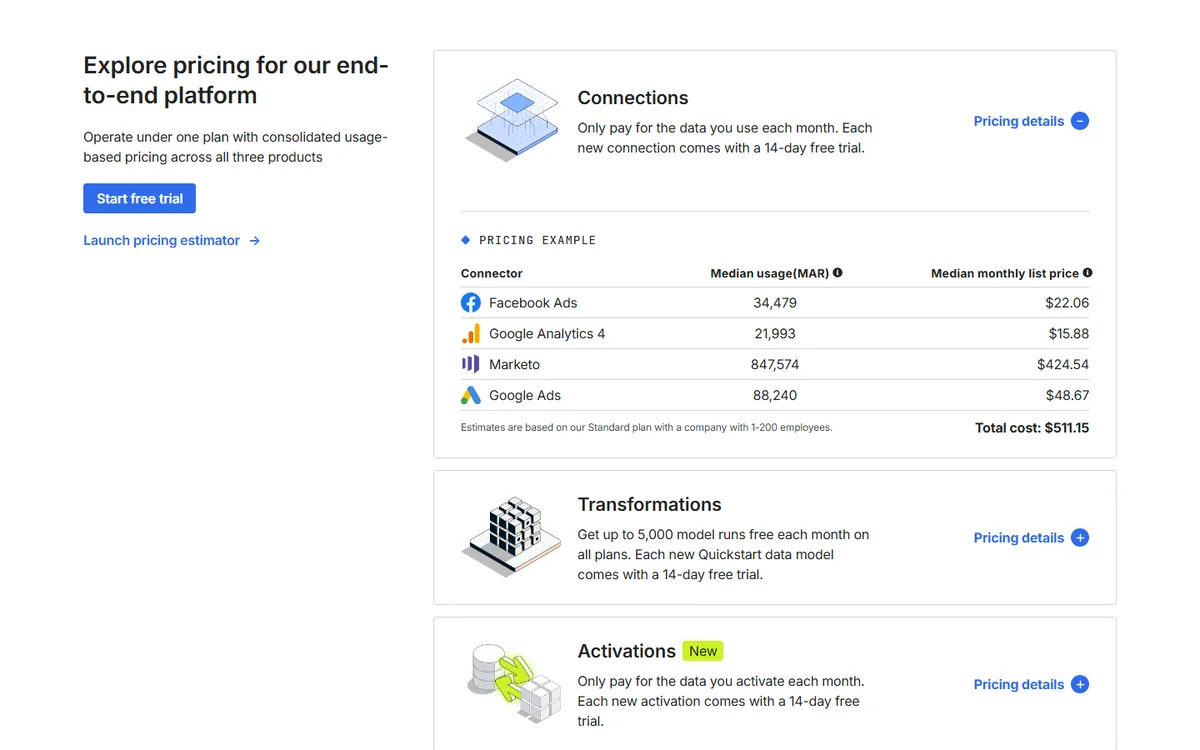
Fivetran has a Free plan for low volumes, with up to 500,000 monthly active rows. Paid plans are Standard, Enterprise and Business Critical, billed by monthly active rows (MAR) at a rate that falls as volume rises. On Standard, connections with 1 to 1 million MAR carry a $5 base charge, and Fivetran's own example puts a Facebook Ads connector with about 34,000 MAR at roughly $22 per month.
Fivetran Reviews
- G2: 4.3/5 average (from 857 reviews)
Airbyte
The Open-Source Option When You Want Control Over Connectors or Need to Self-Host
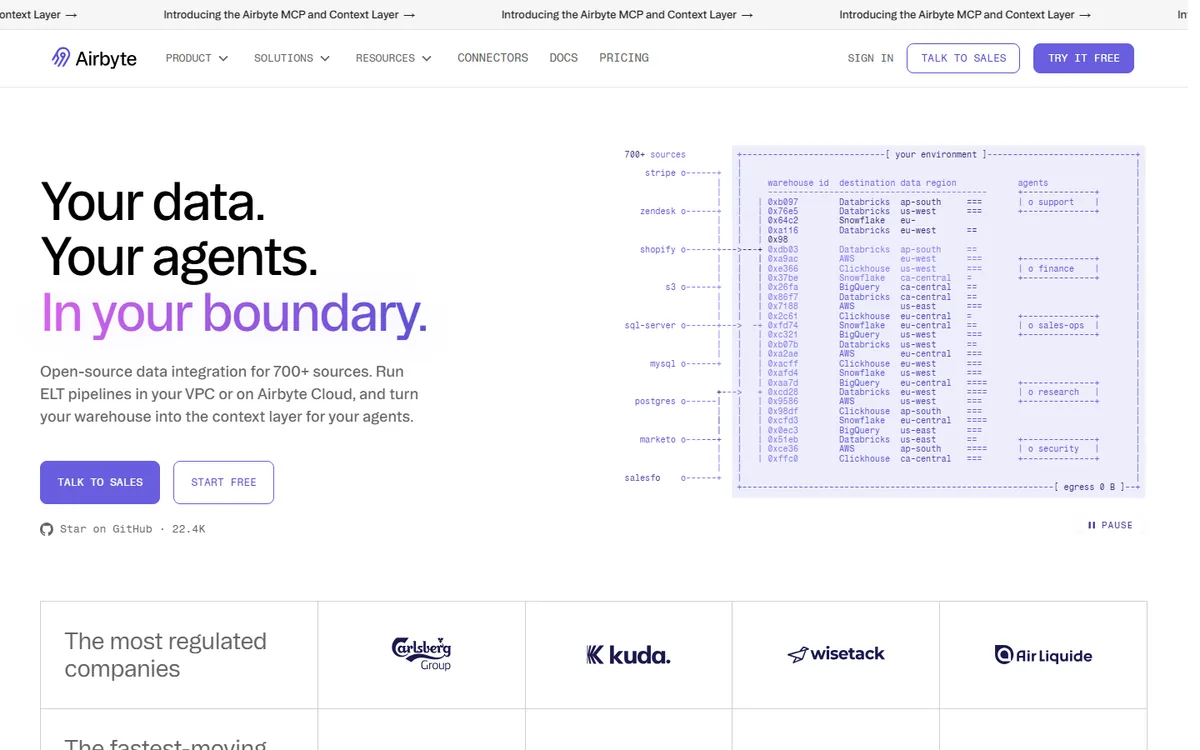
Airbyte is an ELT platform with a large connector catalog that you can self-host for free or run as a managed cloud service.
Airbyte does the same job as Fivetran, loading data from many sources into your warehouse, but you can run the core yourself. Its catalog is large and growing, and a connector builder lets you create your own for a niche API in a short time instead of writing a whole pipeline.
Self-hosting saves license fees and costs engineering time, and I see teams underestimate the second part. If you have one engineer who can own Docker or Kubernetes, it is a strong choice. If not, the cloud version gives you the same connectors without the servers, and you can move between the two later.
Pros of Airbyte
- Free self-hosted core and a large connector catalog
- A connector builder for sources nobody else supports
- Cloud and self-hosted versions share connectors
Cons of Airbyte
- Connector quality varies between community and certified ones
- Self-hosting needs someone who owns upgrades and monitoring
Airbyte Pricing
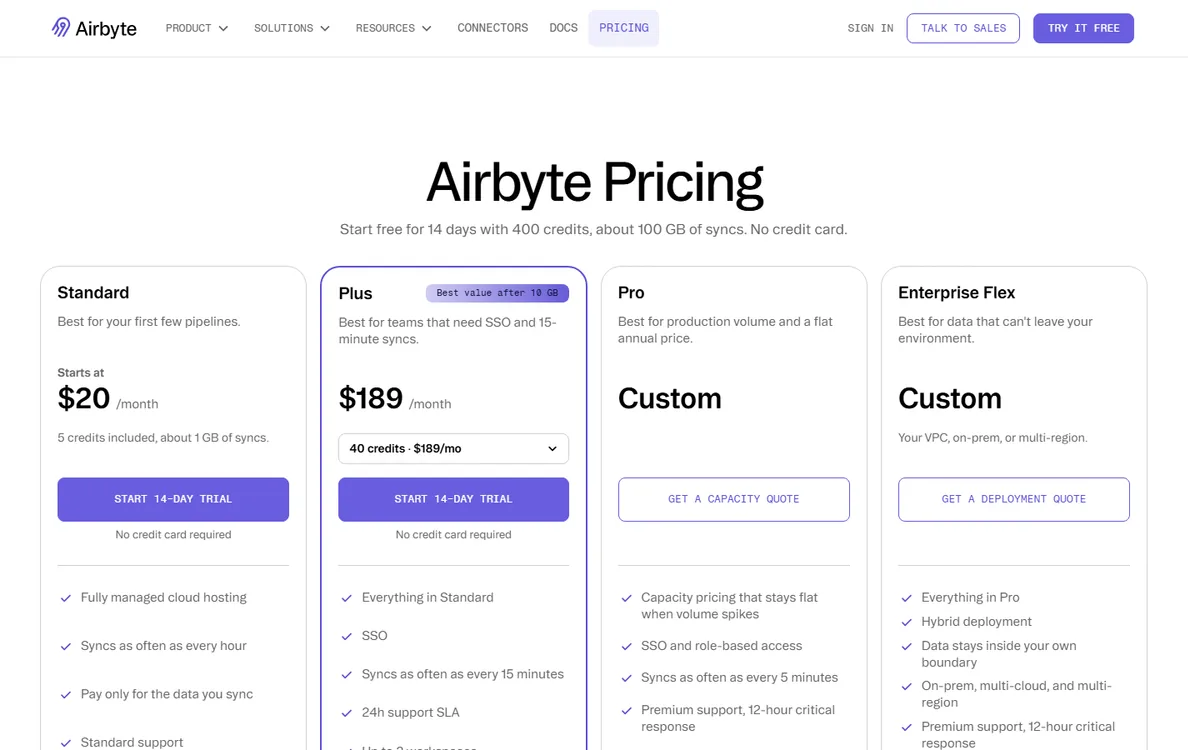
Airbyte Core is free to self-host. Airbyte Cloud starts with a 14-day trial that includes 400 credits, roughly 100 GB of syncs. The Standard plan starts at $20 per month with 5 credits, Plus starts at $189 per month for 40 credits, and Pro and Enterprise Flex are custom priced.
Airbyte Reviews
- G2: 4.4/5 average (from 79+ reviews)
Informatica

The Heavyweight Platform for Enterprises That Need Integration, Quality and Governance Under One Roof
Informatica Intelligent Data Management Cloud covers data integration, quality, cataloging and mastering in one consumption-priced platform.
Informatica is the name you meet in banks, insurers and large hospital groups. Cloud Data Integration handles batch ETL and ELT, and the same platform adds data quality, a catalog and master data, so one vendor covers several needs. It connects to old mainframes and databases that lighter tools skip.
That breadth has a cost. Setup takes longer than with a managed loader, the licensing model needs a careful read, and you usually want an experienced developer on the team. I recommend it when you already have governance and quality requirements that justify the weight, and I steer smaller teams elsewhere.
Pros of Informatica
- Wide connector coverage, including legacy and on-premises systems
- Quality, catalog and master data sit on the same platform
- Strong fit for regulated industries
Cons of Informatica
- Priced by custom quote and consumption units are hard to forecast
- Heavier to learn and run than newer tools
Informatica Pricing
Informatica does not publish plan prices. It uses consumption-based pricing measured in Informatica Processing Units (IPUs), and you request a quote based on your use case. Free cloud data integration and several trials are linked from its pricing page, so check the current terms there.
Informatica Reviews
- G2: 4.3/5 average (from 337 reviews)
Qlik Talend Cloud
A Solid Choice When Data Quality Checks Need to Sit Right Inside the Integration Jobs
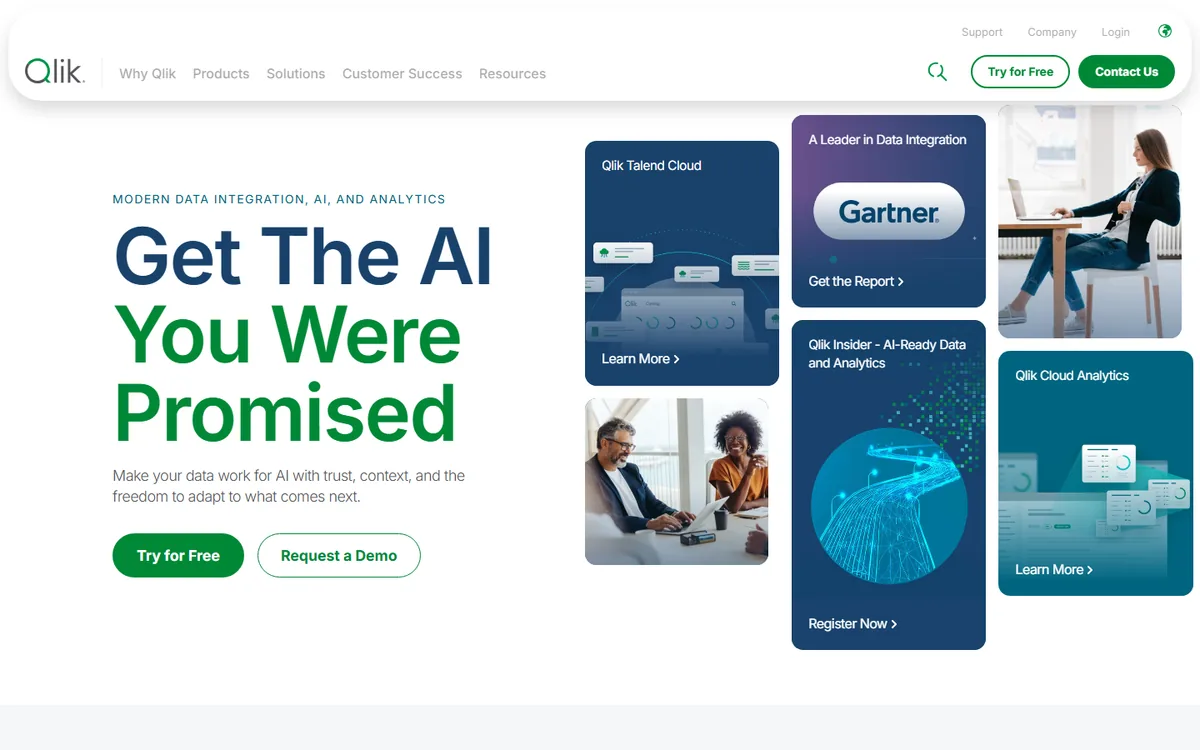
Qlik Talend Cloud is the cloud edition of Talend, now part of Qlik, with visual pipeline design, data quality and API services.
Talend built its name on a visual designer that generates code, and Qlik has folded that into Qlik Talend Cloud. You design jobs on a canvas, add data quality rules and profiling steps in the same flow, and run them on managed or self-run engines. For teams that want one tool covering both movement and cleanup, that combination is useful.
I see two common problems. Older Talend Studio projects need migration planning, and the four editions (Starter, Standard, Premium and Enterprise) add features in steps, so you must check which one holds the capabilities you need. Treat the product line as in transition and ask your vendor contact what the roadmap means for your existing jobs.
Pros of Qlik Talend Cloud
- Data quality and profiling live next to the integration jobs
- Visual design speeds up common pipelines
- Four editions let you start small
Cons of Qlik Talend Cloud
- Pricing by quote
- Legacy Talend projects need a migration plan
Qlik Talend Cloud Pricing
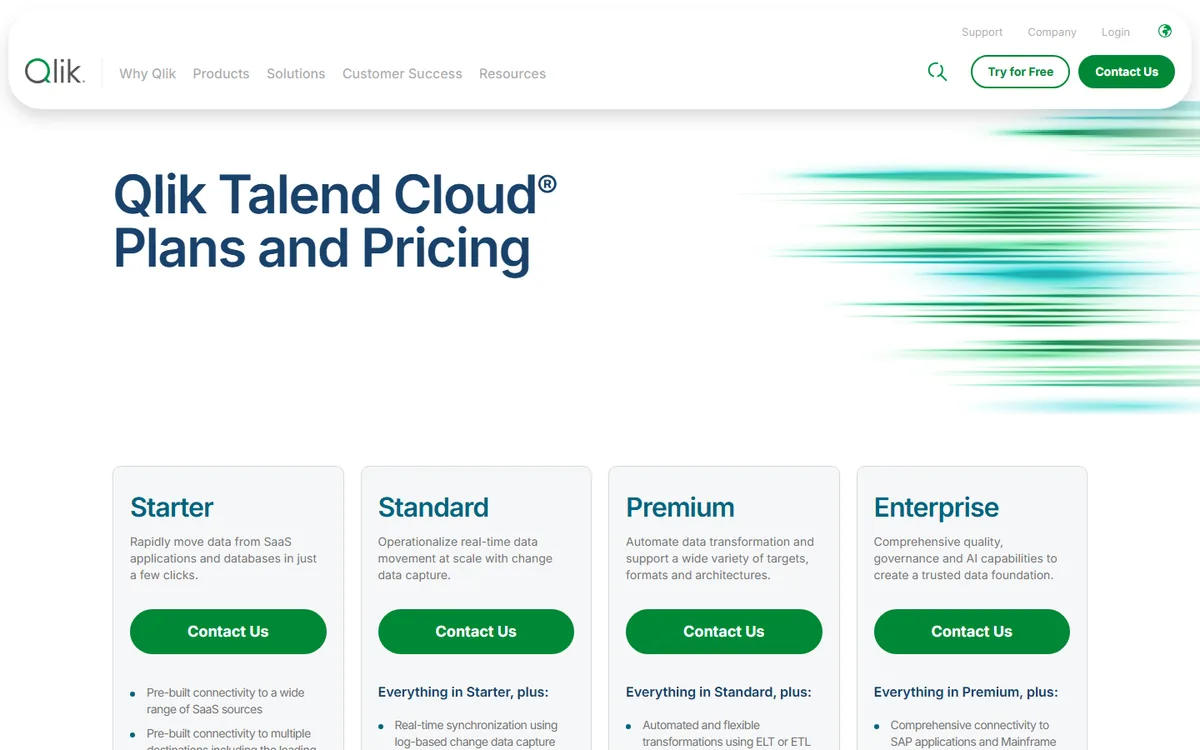
Qlik lists four Qlik Talend Cloud plans: Starter, Standard, Premium and Enterprise, each building on the one before. No prices are shown, and you contact Qlik for a quote. Usage is measured by data volume moved, number of job executions and execution duration.
Qlik Talend Cloud Reviews
- G2: 4.6/5 average (from 13 reviews)
Matillion
A Visual Pipeline Builder That Pushes the Heavy Lifting Into Your Cloud Warehouse
Matillion lets you build and orchestrate transformation pipelines visually and runs them inside Snowflake, Databricks, Redshift or BigQuery.
Matillion works well when your team includes analysts who think in flows, not code. You drag components onto a canvas, and the platform pushes the work down to your warehouse, which keeps data inside your own environment. It also includes loading and orchestration, so one product covers more of the path than a pure transformation tool.
Credits are the thing to watch. Matillion charges for the time pipeline tasks run and for developer users beyond those included, so long-running jobs inflate the bill. I suggest you profile your slowest pipelines in the trial and size the annual package around real usage.
Pros of Matillion
- Visual design that analysts can pick up quickly
- Pushdown processing keeps data in your warehouse
- Loading, transformation and orchestration in one place
Cons of Matillion
- Credit pricing is not published and needs a sales call
- Less flexible than code-first tools for unusual logic
Matillion Pricing
Matillion offers Developer, Teams and Scale plans and prices by credits, which are consumed by pipeline task hours and by developer users beyond those included. Teams includes 5 developer users and an SLA with an annual subscription, and Scale adds custom SSO and hybrid deployment. Plan prices and the credit rate are not published, so talk to sales or use the AWS, Azure or Snowflake marketplace listings.
Matillion Reviews
- Capterra: 4.3/5 average (from 111 reviews)
Azure Data Factory
The Natural Starting Point If Your Data Already Lives in Azure and Microsoft Fabric
Azure Data Factory is Microsoft's managed service for building, scheduling and monitoring data pipelines across cloud and on-premises sources.
Azure Data Factory gives you a visual pipeline designer, more than 90 built-in connectors and mapping data flows for transformation. It plugs into Azure SQL, Synapse, Blob Storage and Microsoft Fabric, so teams on the Microsoft stack get it with little friction. Self-hosted integration runtimes reach databases behind your firewall.
The pricing model is pay-per-use and easy to underestimate. You pay for orchestration runs, data movement and data flow compute separately, and a chatty pipeline with thousands of small runs adds up. I also warn clients that debugging complex flows in the browser can feel slow, so keep pipelines small and put the logic in your warehouse where you can.
Pros of Azure Data Factory
- Tight fit with Azure, SQL Server and Microsoft Fabric
- Self-hosted runtime reaches on-premises sources
- Pay-per-use billing with no license to buy
Cons of Azure Data Factory
- Several billing meters make costs hard to predict
- Complex data flows are harder to debug than code
Azure Data Factory Pricing
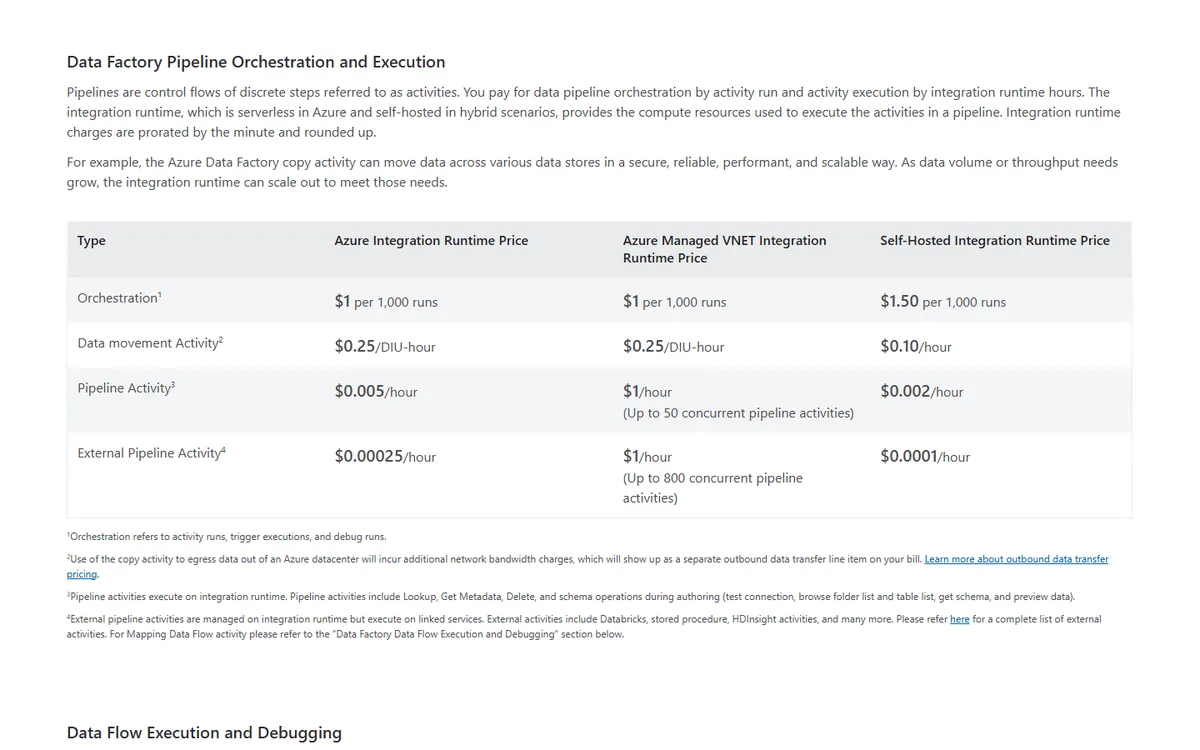
Azure Data Factory is billed on usage: orchestration is charged per 1,000 runs, data movement per DIU-hour and pipeline activities per hour, with rates differing by integration runtime type. Microsoft's pricing page shows the exact amounts by region and currency, and the Azure pricing calculator helps you estimate a month.
Azure Data Factory Reviews
- G2: 4.6/5 average (from 102 reviews)
AWS Glue
A Serverless ETL Service That Fits Best When Your Data Already Sits in S3 and Redshift
AWS Glue runs Spark and Python jobs without servers, and includes a data catalog and crawlers that discover your schemas.
Glue is the default ETL service in AWS. You write jobs in Python or Spark, or build them visually in Glue Studio, and AWS provisions the workers when the job runs. The Data Catalog is shared with Athena, Redshift Spectrum and EMR, which makes it the glue (hence the name) for a lake built on S3.
It rewards engineers more than analysts. Job tuning, worker sizing and Spark errors take experience, and cold starts can frustrate you on small jobs. If your team lives in AWS and writes code, Glue is cheap and flexible. If you want point-and-click connectors for SaaS tools, a managed loader will serve you better.
Pros of AWS Glue
- Serverless, so there are no clusters to manage
- Data Catalog is shared across AWS analytics services
- Pay only while jobs run
Cons of AWS Glue
- Spark tuning and debugging take real skill
- Fewer ready-made SaaS connectors than dedicated loaders
AWS Glue Pricing
AWS Glue bills ETL jobs and crawlers at $0.44 per DPU-hour, billed by the second. AWS's own example puts a 6-DPU job running 15 minutes at $0.66, and Flex execution for jobs that are not time-critical costs $0.29 per DPU-hour. The Data Catalog is free for the first million objects stored and the first million requests each month.
AWS Glue Reviews
- G2: 4.3/5 average (from 202 reviews)
MuleSoft Anypoint Platform
The Strongest API-Led Platform for Connecting Business Applications at Enterprise Scale
MuleSoft Anypoint Platform, owned by Salesforce, combines integration flows, API management and governance in one platform.
MuleSoft treats integration as a set of reusable APIs. You build system, process and experience APIs, publish them in a catalog and let other teams reuse them. For an enterprise with dozens of applications and a Salesforce footprint, that discipline reduces the number of one-off connections nobody owns.
It is a lot of platform for a data analytics job. Developers need Mule and DataWeave skills, and the licensing starts at a level that rules out most small teams. I use it as an application integration answer and pair it with a warehouse loader when the goal is reporting data.
Pros of MuleSoft Anypoint Platform
- Reusable APIs cut down duplicate integrations
- Strong API management and governance features
- Deep connectors for Salesforce and enterprise apps
Cons of MuleSoft Anypoint Platform
- Expensive and sized for large organizations
- Needs specialist Mule developers
MuleSoft Anypoint Platform Pricing
MuleSoft shows pricing from $2,000 per month billed annually, and the page does not say which package that applies to. Packages include Mule Credits, and you can buy by Pre-Purchase, Pre-Commit (a $50,000 minimum annual commitment) or an Unlimited fixed annual price. A 30-day free trial covers the full portfolio.
MuleSoft Anypoint Platform Reviews
- G2: 4.4/5 average (from 894 reviews)
Boomi
A Fast-to-Build iPaaS for Connecting Cloud Apps and On-Premises Systems Without Heavy Coding
Boomi is a low-code integration platform with a large connector library, API management and data hub tools.
Boomi's strength is speed on application integration. You build a process on a canvas, pick connectors for systems like NetSuite, Workday or SAP, and deploy it to a cloud or local Atom runtime. Partners use it widely for mergers, where two companies' systems need to talk within weeks.
It suits application sync better than analytical loads. Bulk loads into a warehouse work, but I find it more natural for order, customer and invoice flows between operational tools. Watch the packaging: the editions and add-ons are many, and your cost depends on connections and runtime counts.
Pros of Boomi
- Low-code canvas gets simple integrations live fast
- Runs in the cloud or next to on-premises systems
- Large connector and partner ecosystem
Cons of Boomi
- Edition and add-on structure is complex
- Less natural for large analytical loads
Boomi Pricing
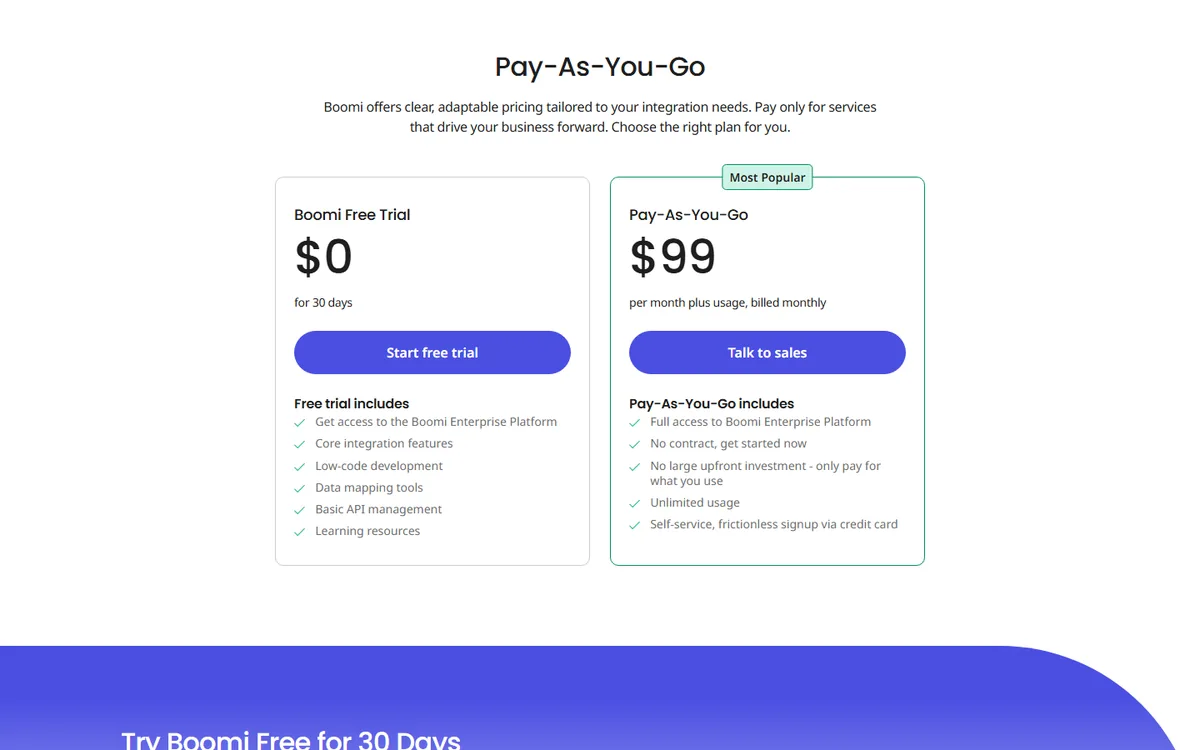
Boomi lists a 30-day free trial and a Pay-As-You-Go option at $99 per month plus usage. Its Integration, API Management, Data Hub and Data Integration editions run from standard up through Professional, Professional Plus and Enterprise tiers, and those editions have no published prices, so you talk to sales.
Boomi Reviews
- G2: 4.4/5 average (from 511 reviews)
Workato
The Best Fit When Business Teams and IT Want to Build Cross-App Workflows Together
Workato is an integration and automation platform where recipes connect apps through triggers, actions and approvals.
Workato sits between application integration and workflow automation. A recipe starts with a trigger such as a new Salesforce opportunity and runs steps across other apps, with error handling and approvals built in. Business operations teams can build many of them, while IT keeps governance and shared connectors.
That broad audience is why it ranks well on user reviews. The trade-off is that it is a workflow tool first. For heavy bulk data movement into a warehouse I would pick a dedicated pipeline tool, and I would use Workato for the event-driven flows around it.
Pros of Workato
- Recipes are readable by non-developers
- Large catalog of app connectors with approvals and error handling
- Strong fit for sales, finance and HR workflows
Cons of Workato
- Usage-based pricing is not published
- Not built for bulk loads into a warehouse
Workato Pricing
Workato does not publish prices. It names four editions, Standard, Business MCP, Enterprise MCP and Workato ONE, and bills on usage by capability, such as workflows, API management and event streams. Each edition includes set amounts of on-premises connectivity and concurrency, and you get an exact quote from sales.
Workato Reviews
- G2: 4.7/5 average (from 859 reviews)
SnapLogic
A Visual Platform That Covers Both Application Integration and Data Pipelines in One Tool
SnapLogic uses prebuilt components called Snaps to build integrations and data pipelines on a visual canvas.
SnapLogic aims at the gap between application integration and data integration. You snap together components for sources, transformations and targets, run them on cloud or on-premises nodes and manage everything in one place. Its Snap Packs cover databases, SaaS apps and cloud warehouses.
The platform is priced for enterprises, and its package model is meant to keep costs predictable. In my view the visual approach shines for mixed teams, but very custom logic ends up in scripts anyway. Run a proof of concept on your hardest pipeline before you commit.
Pros of SnapLogic
- One visual tool for apps and data pipelines
- Large library of Snap components
- Runs in the cloud or on your own nodes
Cons of SnapLogic
- Pricing is quote-only
- Custom logic still needs scripting
SnapLogic Pricing
SnapLogic sells three packages, Essential, Professional and Enterprise One, with no published prices; a demo request gets you a custom quote. It says pipelines, data movement and transformations are unlimited, and the price is the same for cloud and on-premises deployment. Premium Snap Packs and options such as API Management are sold separately.
SnapLogic Reviews
- G2: 4.4/5 average (from 412 reviews)
Hevo Data
A Friendly No-Code Pipeline Tool for Small Teams That Want to Be Live in an Afternoon
Hevo Data is a no-code ELT platform that loads data from SaaS apps and databases into a warehouse, with light transformations.
Hevo is a good fit when you have a few sources and no data engineer. You connect a source, choose a destination and Hevo handles schema mapping, retries and monitoring. A Python or drag-and-drop transformation layer covers small clean-up steps before the data lands.
Pricing is by events, which are records inserted, updated or deleted in the destination, so the same warning applies as with Fivetran: tables that change constantly raise your usage. Connector depth is smaller than the biggest vendors, so check that your niche sources are covered before you sign.
Pros of Hevo Data
- Quick setup with no code
- Clear entry price on the public pricing page
- Alerts and monitoring built in
Cons of Hevo Data
- Event-based billing can surprise you on busy tables
- Smaller connector catalog than the largest vendors
Hevo Data Pricing
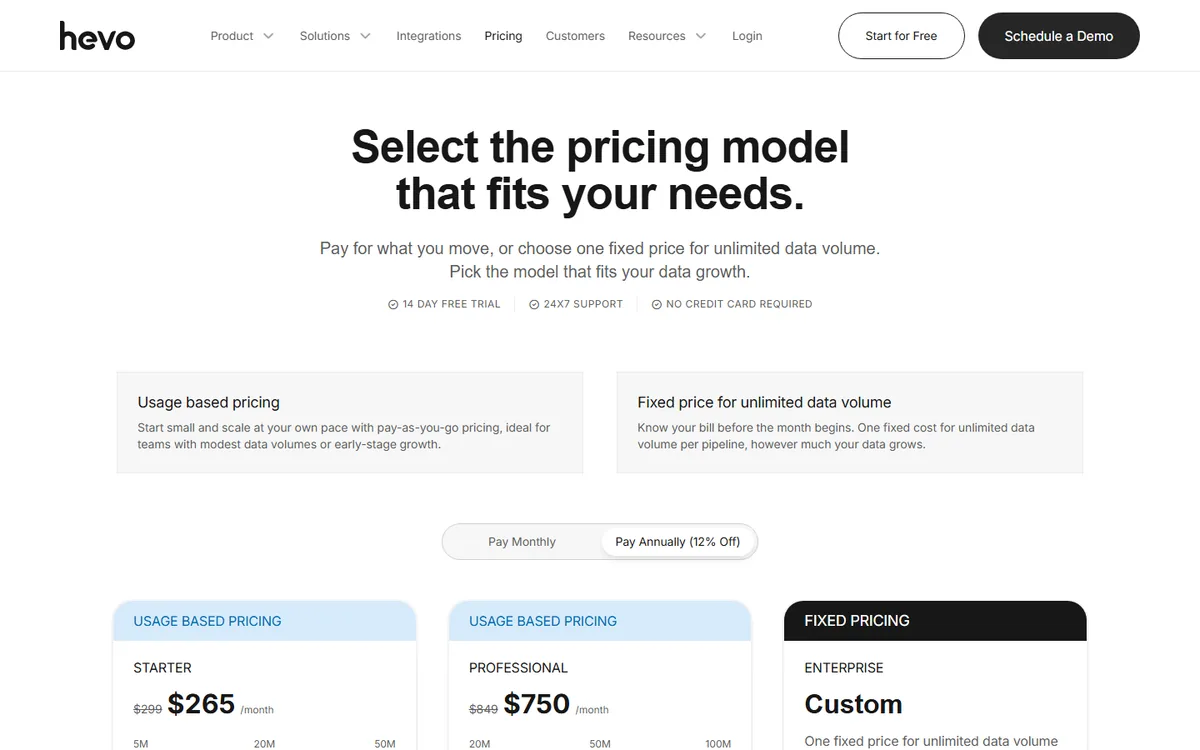
Hevo's pricing page lists Starter at $299 per month ($265 per month billed annually) with 5M, 20M or 50M event tiers, and Professional at $849 per month ($750 billed annually) with 20M, 50M or 100M events. Enterprise is a custom quote with unlimited volume per pipeline, and usage above your quota is billed on demand.
Hevo Data Reviews
- G2: 4.4/5 average (from 297 reviews)
Estimate the Return on a Data Integration Tool
Before you pick a plan, check whether the numbers work for you. Enter the manual hours you want to automate and the monthly price of the tool you are considering, and you will see what it could return in a year. The biggest wins come from the problems I list in my overview of data integration challenges, such as hand-built exports and syncs that fail without anyone noticing.
Will the Tool Pay Off for You?
Move the sliders to match the work you want to automate and the plan you are considering.
How to Choose the Right Data Integration Tool
In my experience, your systems and your team decide more than any feature list. Before you compare vendors, answer four questions:
- Where does the data need to end up: a warehouse for reporting or another business application?
- Does the tool already have a maintained connector for each of your top sources?
- Who will be on call when a sync fails, and do they prefer a canvas or code?
- How does the tool bill for volume, and what does a busy month cost?
If you have no engineers and want reporting data, a managed loader such as Fivetran, Hevo Data or Airbyte Cloud gets you running fastest. If you connect operational apps, Boomi, Workato or MuleSoft fit better. Whatever you pick, follow the habits in my list of data integration best practices, because tools do not fix a weak design. To see how other companies set this up, read my data integration examples, and if you want a blueprint for the sequence of work, my data integration framework lays it out.
Questions About Choosing Data Integration Tools
What Is the Difference Between ETL, ELT and IPaaS?
ETL transforms data before it reaches the target, and ELT loads it first and transforms it inside the warehouse. iPaaS stands for integration platform as a service, and it connects business applications with workflows and APIs. Analytics teams mostly use ELT tools such as Fivetran or Airbyte. Operations teams mostly use iPaaS tools such as Boomi, Workato or MuleSoft. Many companies run one of each.
Which Data Integration Tool Is Best for a Small Team?
Fivetran, Airbyte Cloud and Hevo Data are the easiest starting points, because you connect a source and a destination without writing code. Airbyte Core is free if you can host it yourself. Start with the tool that already has maintained connectors for your top three sources, and check how it bills before you scale.
Are There Free Data Integration Tools?
Yes. Airbyte Core is free to self-host, Fivetran has a Free plan for low volumes and AWS Glue gives you the first million Data Catalog objects and requests free each month. Free still has a cost in engineering time or in limits, so measure your volumes before you build on a free tier.
How Much Do Data Integration Tools Cost?
Prices range from free to six figures a year. Hevo Data starts at $299 per month, Airbyte Cloud Standard at $20 per month and Boomi Pay-As-You-Go at $99 per month plus usage. Informatica, Qlik Talend Cloud, Workato and SnapLogic do not publish prices, and MuleSoft shows a starting point of $2,000 per month billed annually. Always ask for a quote based on your real volumes.
Do I Need a Data Integration Tool or Custom Code?
Custom code works for one or two stable sources and a team that enjoys maintaining it. Once you pass about five sources, the time spent on API changes, retries and monitoring usually costs more than a tool. A managed or open-source connector library lets you keep custom code only for the sources nobody supports.
Can I Use More than One Data Integration Tool?
Yes, and it is common. A typical setup uses an ELT tool for analytics loads and an iPaaS tool for application workflows. The risk is overlap, so give each tool a clear job and one owner, and review the invoice every quarter.
Can a Consultant Choose and Set Up the Tool for Me?
Yes. A short audit compares your systems, volumes, team skills and budget, recommends a tool and builds the first integrations on it, with a written reason for each choice. If you want help, start with a free discovery call.
Heads up: vendors change prices, plans and ratings often. Everything was checked at the last update date, but confirm on each vendor’s website first. This article is not legal or financial advice.
Was this article helpful?
Thank you for letting us know.
Camille leads the Trevio editorial team and works with our consultants to turn real client projects into practical guides on data strategy, engineering and governance. Before joining Trevio, she spent 11 years in data engineering and analytics roles. She has since edited more than 300 articles on data management and reviewed pipelines and platforms from over 100 client projects. She is based in Denver, Colorado.