Key Takeaways
- Map every field and sign it off before you build, because most integration bugs are meaning bugs.
- Make each job safe to rerun and load incrementally, so failures and growth do not multiply cost.
- Check data at every handoff, because a successful sync does not prove the data is right.
- Name an owner and keep a short inventory, so no flow becomes a mystery job.
A data integration works on day one and fails on day ninety, usually because of a field nobody mapped, a schema change nobody saw or a rerun that duplicated rows. In my data integration consulting work I see the same eight habits separate the integrations that run quietly for years from the ones that need a rescue.
Each practice below has a short explanation, a story from client projects where useful and a do and avoid pair you can use as a checklist. Take them in order if you are starting fresh. If you already have an unreliable setup, start with practice 5, because trust is the first thing to rebuild.
The 8 Practices and What Each One Prevents
| Practice | Problem it prevents | First step |
|---|---|---|
| 1. Map every field | Mixed-up meanings between systems | One-page mapping sheet |
| 2. Pick a pattern per flow | Overspending on real-time or missing a deadline | Write the allowed delay |
| 3. Load incrementally | Slow, costly full reloads | Track a high-water mark |
| 4. Make jobs rerunnable | Duplicate rows after a failure | Merge on a stable key |
| 5. Check at every handoff | Silent bad data | Five checks on top tables |
| 6. Plan for changes | Breaks from renamed fields | Subscribe to changelogs |
| 7. Secure credentials | Leaked keys and exposed personal data | Use a secrets manager |
| 8. Name an owner | Mystery jobs nobody dares touch | Start an inventory |
The 8 Data Integration Best Practices, With Do’s and Don’ts
I wrote these from the failures I have had to fix. If you want to compare tools that support them, my ranked list of data integration tools shows which products give you incremental loads, alerts and schema handling out of the box.
1. Map Every Field Before You Build
Most integration bugs are mapping bugs. A status of 'Closed' in your CRM can mean won, lost or archived, and a date can be local time in one system and UTC in another. Write the mapping down before you write a single job: source field, target field, data type, format and the rule for empty values.
On one retail project, two systems both had a customer 'region' field. One used sales territories and the other used shipping zones, and a month of reports mixed them. A one-page mapping sheet reviewed by both system owners would have caught it on day one.
- Do this: Write the mapping in a shared sheet and let the business owner of each system sign it off.
- Avoid this: Map from memory, or assume that fields with the same name mean the same thing.
2. Pick a Pattern for Each Flow
Batch, event-driven and API-based flows solve different problems. A nightly batch load suits reporting. A webhook suits a new order that must reach the warehouse system within seconds. A direct API call suits a lookup that needs an answer now. Choosing one pattern for everything either wastes money or misses deadlines.
A practical test is to ask how stale the data can be before someone loses money or trust. If the answer is a day, batch it. If the answer is a minute, build something event-driven and accept the extra monitoring.
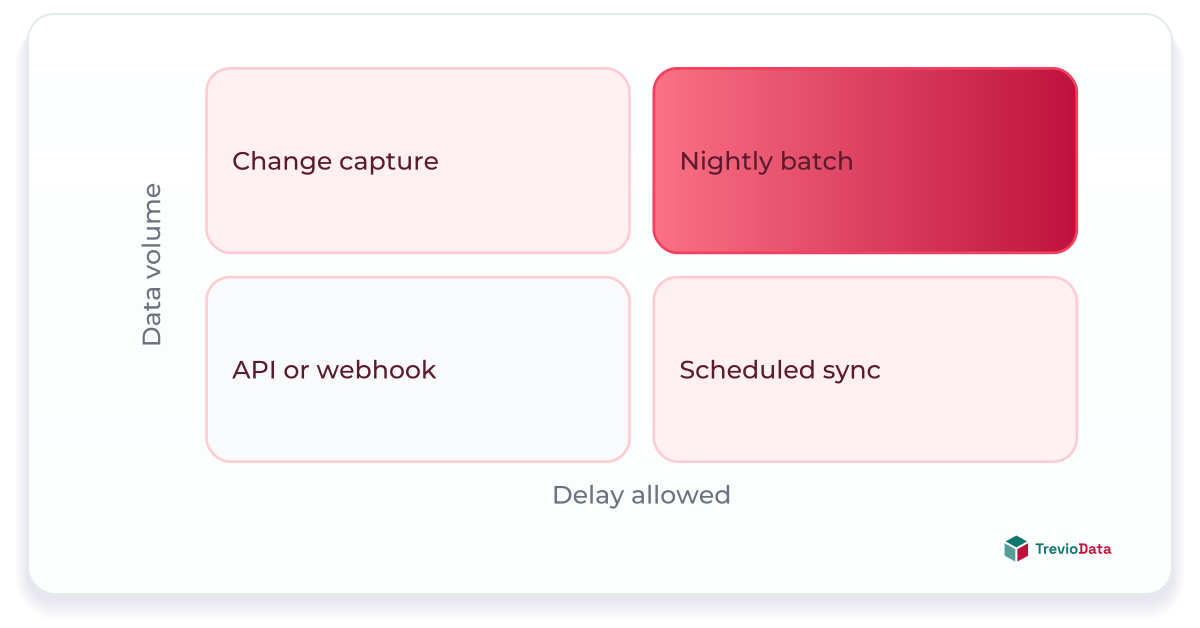
- Do this: Write the allowed delay next to every flow in your inventory, and pick the simplest pattern that meets it.
- Avoid this: Stream everything because it sounds modern. Real-time flows cost more to run and to debug.
3. Use Incremental Loads From the Start
Full reloads work until the table grows. A job that copies ten million rows every night takes longer each month, costs more and hits API rate limits. Load only what changed, using an updated-at column, a change data capture feed or a source-side change log.
The catch is deletes. Many sources do not tell you when a record disappears, so an incremental load keeps rows that no longer exist. Plan a periodic reconciliation, such as a weekly full count comparison, to catch drift.
- Do this: Track a high-water mark per table, and reconcile row counts on a schedule.
- Avoid this: Trust that updated-at columns are always set. Some systems skip them on bulk edits.
4. Make Every Job Safe to Rerun
Jobs fail overnight and the fix is usually a rerun. If a rerun duplicates rows, someone cleans up by hand. Design each flow so that running it twice for the same window gives the same result, by merging on a stable key or replacing a whole partition.
A common trap is a job that appends yesterday's orders. When it fails after writing half the rows and someone reruns it, orders double and finance finds the error a week later. A merge on the order ID removes that whole class of problem.
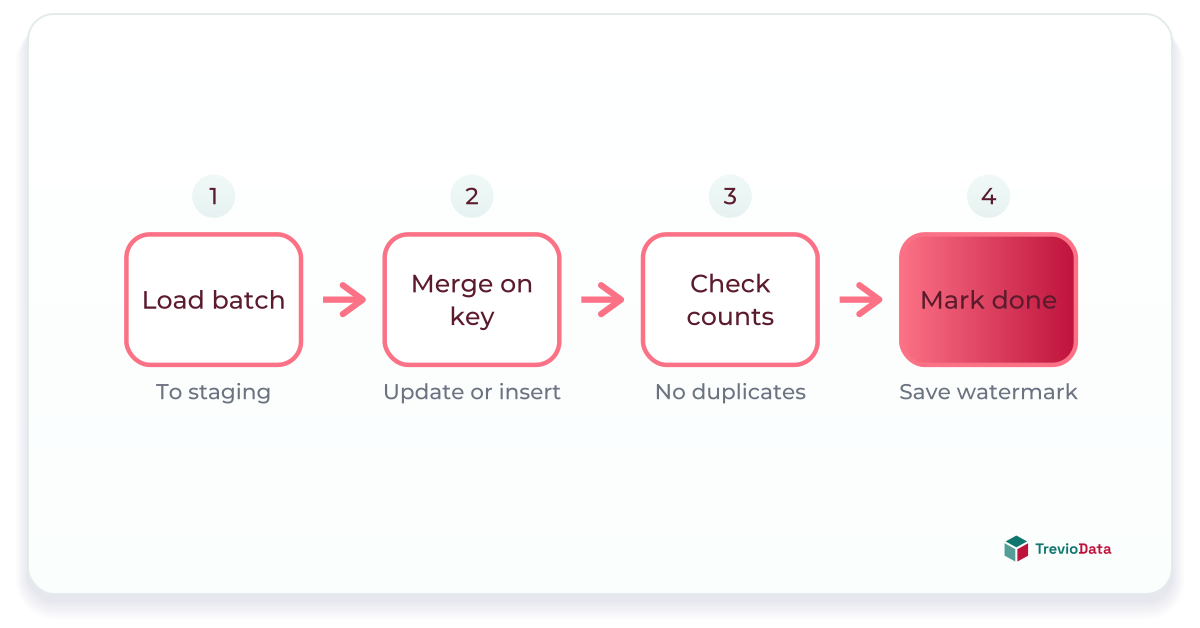
- Do this: Run the same load twice in a test environment and compare row counts.
- Avoid this: Use plain inserts without a key, or logic that depends on when the job happened to start.
5. Check Data at Every Handoff
A successful sync is not proof that the data is right. A source can return an empty file, a renamed column or half the normal volume, and the job still reports success. Add checks for freshness, row counts, null rates and accepted values where data enters and where it leaves.
Keep the list short at first. Five checks on your most-used tables beat two hundred nobody reads. Every time an incident teaches you something, add one more check that would have caught it.
- Do this: Alert when row counts move outside a normal range, not only when a job errors.
- Avoid this: Let tests fail for weeks until everyone ignores them.
6. Plan for Schema and API Changes
Sources change without asking you. Vendors rename fields, retire API versions and add required parameters. If your integration assumes the schema never moves, the first change breaks a dashboard and you learn about it from a manager.
Subscribe to the changelogs of your five most important sources, pin API versions where the vendor allows it, and decide in advance what happens to new columns: ignore them, load them or fail the job. Managed loaders handle many of these changes for you, which is a large part of what you pay for.
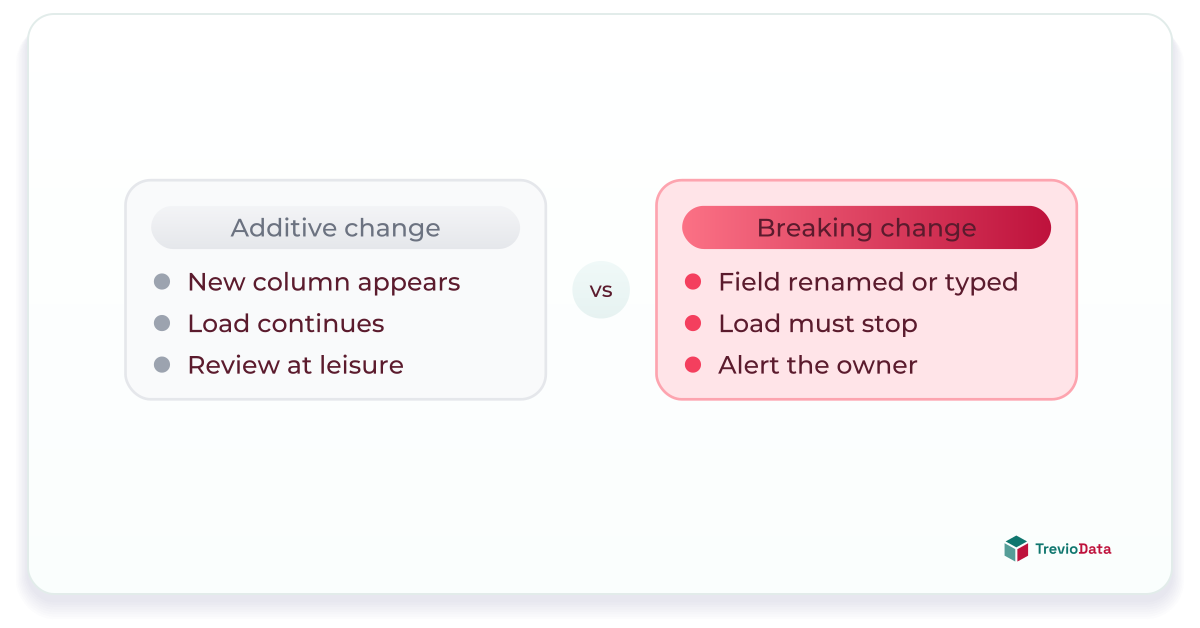
- Do this: Keep a short owner list per source, so you know whom to ask when a field changes.
- Avoid this: Select every column with a wildcard and hope the downstream code copes.
7. Secure Credentials and Sensitive Fields
Integrations hold the keys to your most important systems. Passwords in scripts, shared service accounts and unmasked personal data in a test warehouse are the usual findings in a review. Store credentials in a secrets manager, give each integration its own account with the least access it needs and rotate keys on a schedule.
For sensitive fields such as health or payment data, decide whether the destination needs them at all. Hashing, masking or leaving the column out is far cheaper than defending it later. In healthcare work, I treat this decision as part of the mapping sheet.
- Do this: Log who and what accessed each integration account, and review the list every quarter.
- Avoid this: Reuse one admin login across tools because it is quicker.
8. Name an Owner and Document the Flow
Integrations outlive their builders. A flow with no owner and no description becomes a mystery job that nobody dares touch. Give each flow one named owner, a one-page description with source, target, schedule, checks and fix steps, and a place where you keep them all.
This also helps when you compare tools or plan a move. If you cannot list your flows, you cannot estimate a migration or a cost. Treat the inventory as the base for the choices in my guide to a data integration framework.
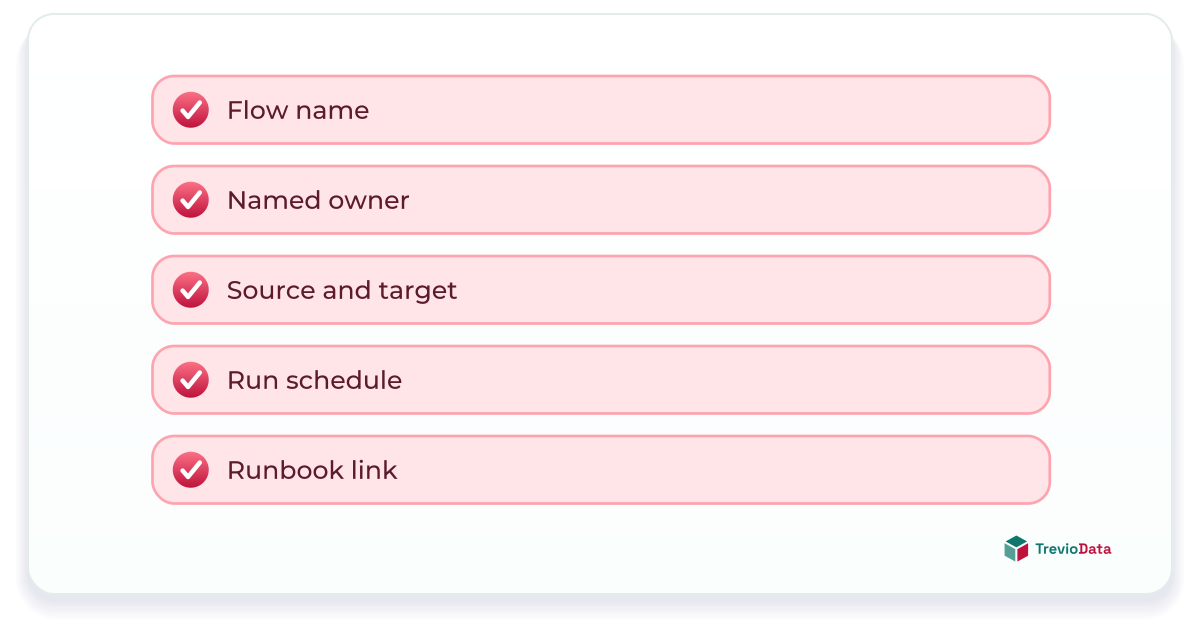
- Do this: Review the inventory every quarter and retire flows nobody uses.
- Avoid this: Write long documents that nobody reads, or keep notes only in a builder's head.
Which Practice to Adopt First
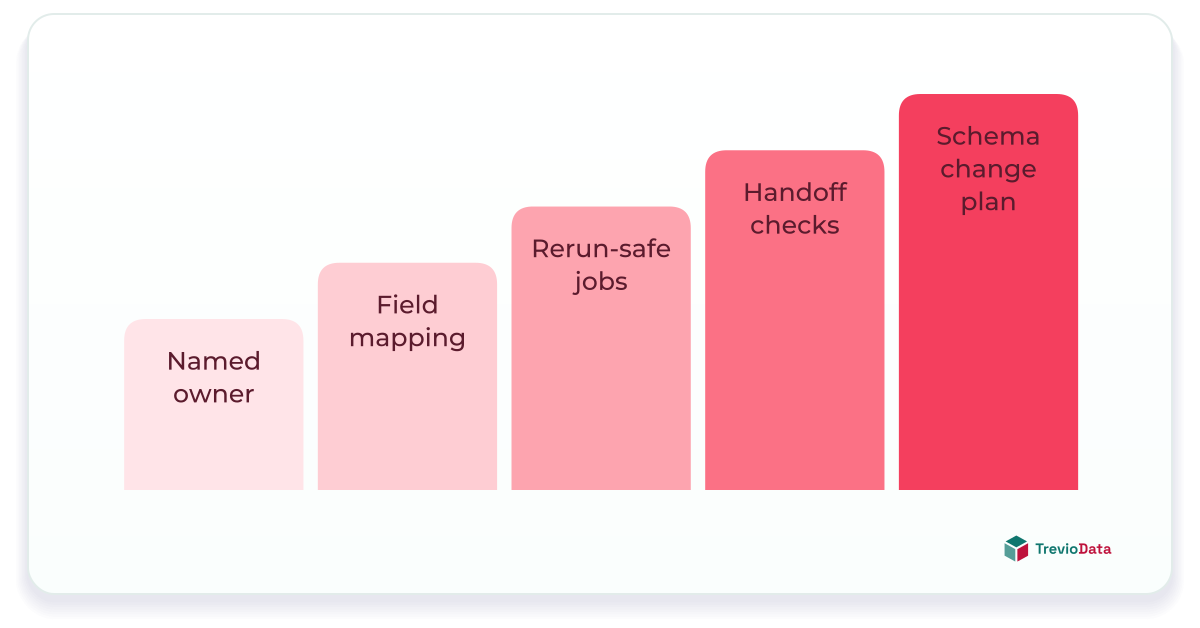
You do not need all eight this month. The right first step depends on what is hurting. If reports disagree, start with mapping and checks. If cloud or API bills grow, start with incremental loads and patterns. If a rebuild is coming, start with the inventory and owners.
I usually tell clients to pick two practices per quarter and finish them. A half-adopted practice, such as tests that fail all week, does more harm than none. The data integration strategy guide shows how to turn that sequence into a plan with priorities and owners.
What Breaks When You Skip Them
The costs show up in predictable ways. Skipping mapping leads to disputes about whose number is right, and my overview of data integration challenges lists the full set. Skipping checks lets a bad load reach executives. Skipping owners means a sync fails for two weeks before anyone notices.
Seeing the practices applied helps. The seven stories in my data integration examples show companies that put these habits in place and what they reported afterward.
Deciding Where to Begin
Count your flows. With fewer than ten, a shared sheet and a weekly review are enough. With dozens, you need a catalog or at least a tracked inventory, plus alerting that reaches a named person. With hundreds, you probably need a platform team, which is the point where outside help pays back quickly.
- List your flows and mark the five that would hurt most if they failed tomorrow.
- Check each of the five against practices 4, 5 and 8.
- Fix the gaps in that order, then repeat for the next five.
Questions About Data Integration Best Practices
What Are the Most Important Data Integration Best Practices?
Field mapping, rerun-safe jobs, checks at every handoff and named owners prevent most failures. Start with those four, then add incremental loads, pattern choice, schema-change handling and credential security as your flows grow.
How Often Should I Review My Integrations?
Review alerts weekly, the flow inventory quarterly and credentials on a rotation schedule. A short monthly look at cost per flow also helps, because costs often grow quietly.
Is Real-Time Integration Always Better than Batch?
No. Real-time flows cost more to build, run and debug. Use them where staleness costs money, such as inventory or fraud checks, and use batch for reporting where a day-old number is fine.
How Do I Stop Duplicates After a Failed Job?
Design the load to merge on a stable key or to replace a whole partition, so running it twice gives the same result. Test this on purpose by running a load twice in a test environment.
What Should I Check in an Integration?
Check freshness, row counts, null rates, duplicate keys and accepted values. Start with five checks on your most-used tables and add one whenever an incident shows a gap.
Do I Need a Tool to Follow These Practices?
You can follow them with scripts, but managed tools handle incremental loads, schema changes and alerts for you. Weigh the license cost against the engineering hours you would spend on maintenance.
Can a Consultant Review My Integrations?
Yes. A short audit lists your flows, scores them for risk and cost, and names the first fixes. You can start with a free discovery call.
Note: This article is general information, not legal, financial or tax advice. Figures and examples are estimates based on typical projects, so check current details with your providers and advisers before you decide.
Was this article helpful?
Thank you for letting us know.
Camille leads the Trevio editorial team and works with our consultants to turn real client projects into practical guides on data strategy, engineering and governance. Before joining Trevio, she spent 11 years in data engineering and analytics roles. She has since edited more than 300 articles on data management and reviewed pipelines and platforms from over 100 client projects. She is based in Denver, Colorado.