Key Takeaways
- Discover dependencies first and retire unused servers before you pay to move them.
- Move in small waves, starting with low-risk systems, and test each wave before the real cutover.
- Write and rehearse a rollback with a clear point of no return, and keep the source intact until sign-off.
- Check network, DNS, certificates and licensing early, and keep stakeholders informed on a fixed schedule.
Most data center moves do not fail for technical reasons. They fail because someone set a date before looking at dependencies, or because nobody tested the way back. The seven practices below come from moves I have planned and reviewed, and they are the ones teams thank me for later. If you want a partner to apply them for you, that is the work of data center migration consulting.
Each practice has a short explanation, then what to do and what to avoid. Use the table for the overview and read the sections you need.
The Seven Practices at a Glance
| Practice | Problem it prevents | First step |
|---|---|---|
| 1. Discover first | Surprise systems on cutover night | Merge CMDB, hypervisor and traffic data |
| 2. Retire before moving | Paying to move dead servers | Flag servers with no traffic and no owner |
| 3. Move in waves | One failure stopping everything | Pick a low-risk first wave |
| 4. Test every wave | Late timing surprises | Run a test copy and time it |
| 5. Plan the rollback | No way back after a failed check | Write the point of no return |
| 6. Control the plumbing | DNS, firewall and license failures | Test bandwidth with real data |
| 7. Communicate and close | Angry users and lingering old sites | Name a communication lead |
The 7 Data Center Migration Best Practices, With Do’s and Don’ts
If your project is already running, start with practice 4 or 5, since those protect you the fastest. If you are at the beginning, take them in order.
1. Discover Before You Decide
Build the inventory and dependency map before you pick a date, a target or a vendor. Combine your CMDB, hypervisor exports and a network traffic capture, and keep the capture running through at least one month-end. The result tells you what you really run, which is often 10 to 15 percent more than the official list.
In my client work, the unexpected extras are usually small things with large effects: a license server, a scheduled export, a file share used by one team. Each one takes minutes to move when you know about it and hours to diagnose when you do not.
- Do this: Keep discovery running during the project, since new servers appear while you plan.
- Avoid this: Set a go-live date from a slide before discovery is complete, or trust a spreadsheet nobody has checked against traffic.
2. Retire Before You Move
Every server you do not move is cheaper than any server you move well. Flag machines with no traffic, no login activity and no owner, confirm with the business, take a final backup and switch them off for a trial period before the move.
Expect resistance. People fear switching things off, so a scream test, where you power down and wait for complaints, works better than a long review meeting. Agree the rules in advance, including how long a system stays off and where the backup lives.
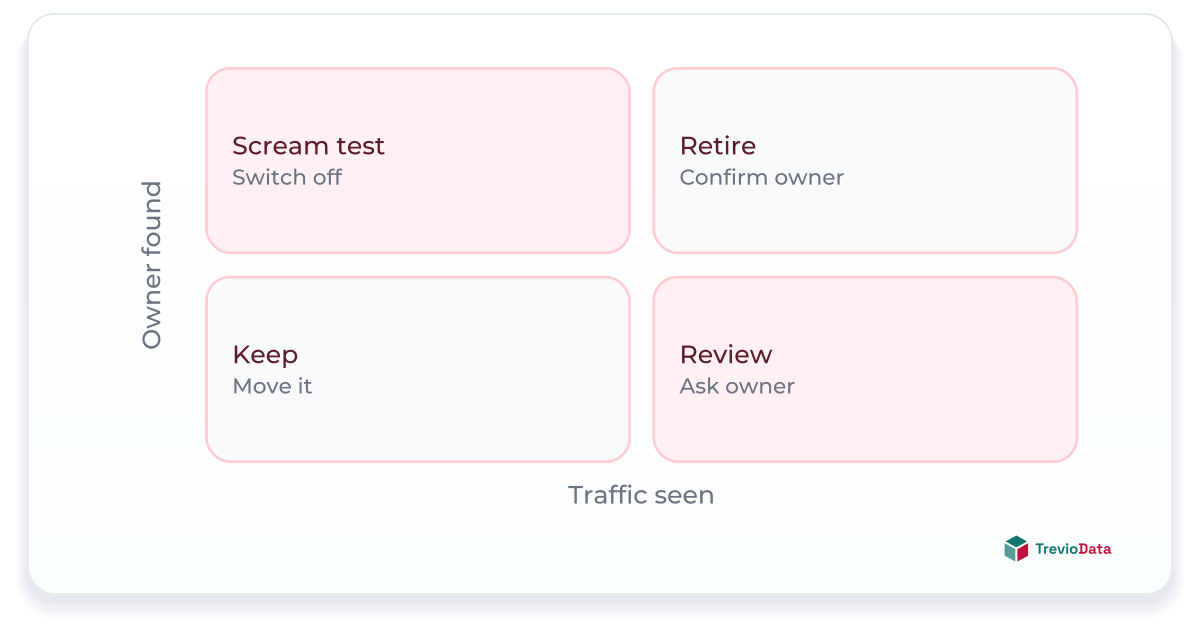
- Do this: Quarantine suspected dead servers for 30 days, with a backup and a named person who can bring them back.
- Avoid this: Carry old hardware and old licenses into the new site because nobody wanted to make the call.
3. Move in Waves, Starting Small
Group related systems into waves and begin with the least critical ones. The first wave teaches the team the tools, the network quirks and the real cutover time. Later waves go faster because the process is rehearsed.
Keep waves small enough to roll back in a single night. A wave that needs two weekends to undo is not a wave, it is a bet. I like a quiet week after each critical wave so loose ends do not stack up.
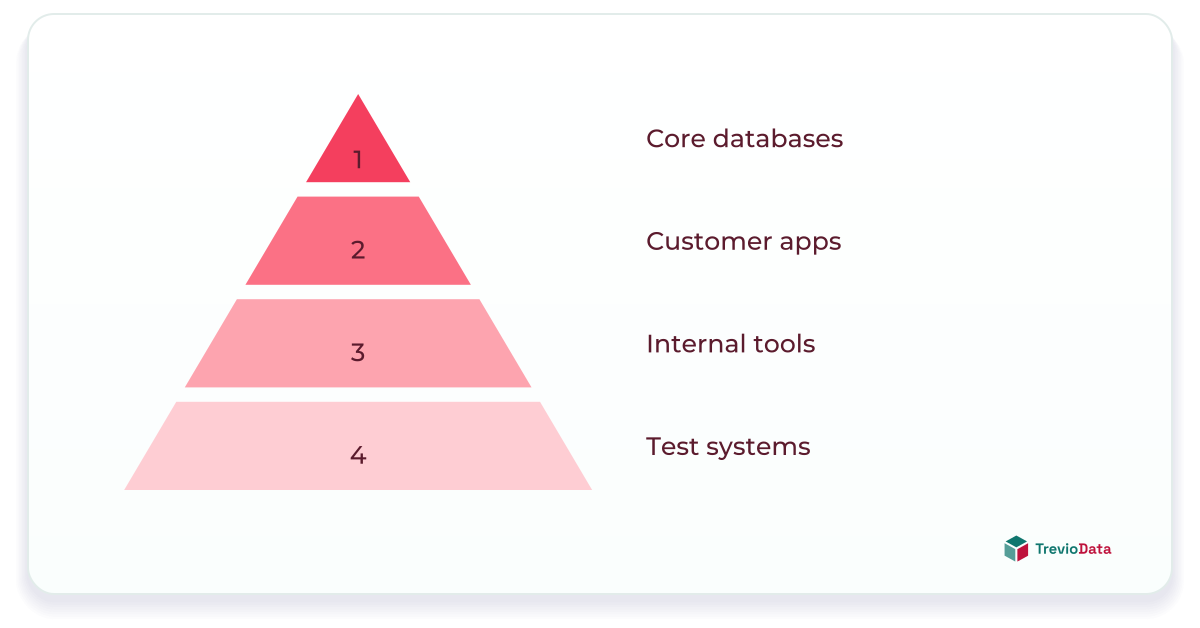
- Do this: Order waves by risk and by your business calendar, and keep peak periods untouched.
- Avoid this: Move the most critical system first to prove a point, or build one huge wave to save on planning.
4. Test Every Wave Before the Real Cutover
A test migration copies the systems into the new environment without switching users over. You check that the application starts, the data matches and performance is close to the old baseline. Then you repeat the final sync during the real window.
Testing also gives you the numbers for the plan: copy time, cutover time and rollback time. If a database takes nine hours to sync and your window is six, you want to know three weeks ahead.
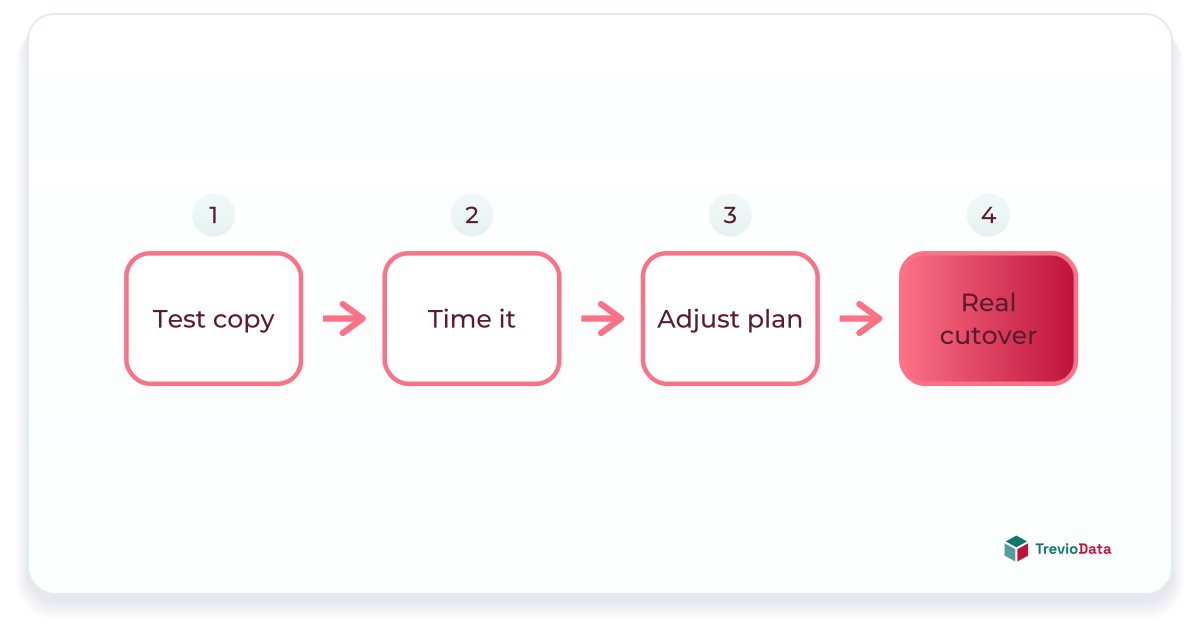
- Do this: Write acceptance tests with the business owner, such as five orders placed and one report matched.
- Avoid this: Treat a successful server boot as proof the application works.
5. Plan the Rollback as Carefully as the Move
A rollback plan states the point of no return and the steps back. The source systems stay untouched until owners sign off, and data written at the new site during a short trial period has a plan to flow back if needed.
Rollbacks fail when nobody has tried them. Rehearse the rollback on the pilot, time it and put the time in the runbook. A written way back also makes the cutover decision easier, because the downside is limited.
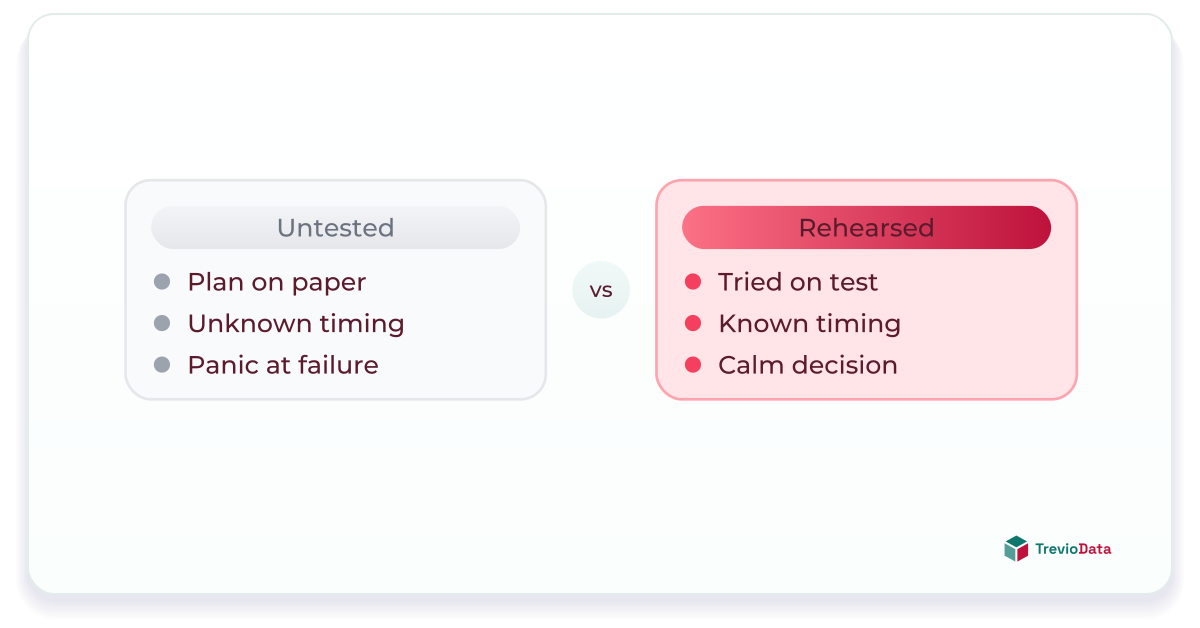
- Do this: Agree the decision rule up front, for example, roll back if checks are not green by 4 a.m.
- Avoid this: Decommission the source on cutover night, which removes your only safety net.
6. Control the Network, Identity and Cutover Details
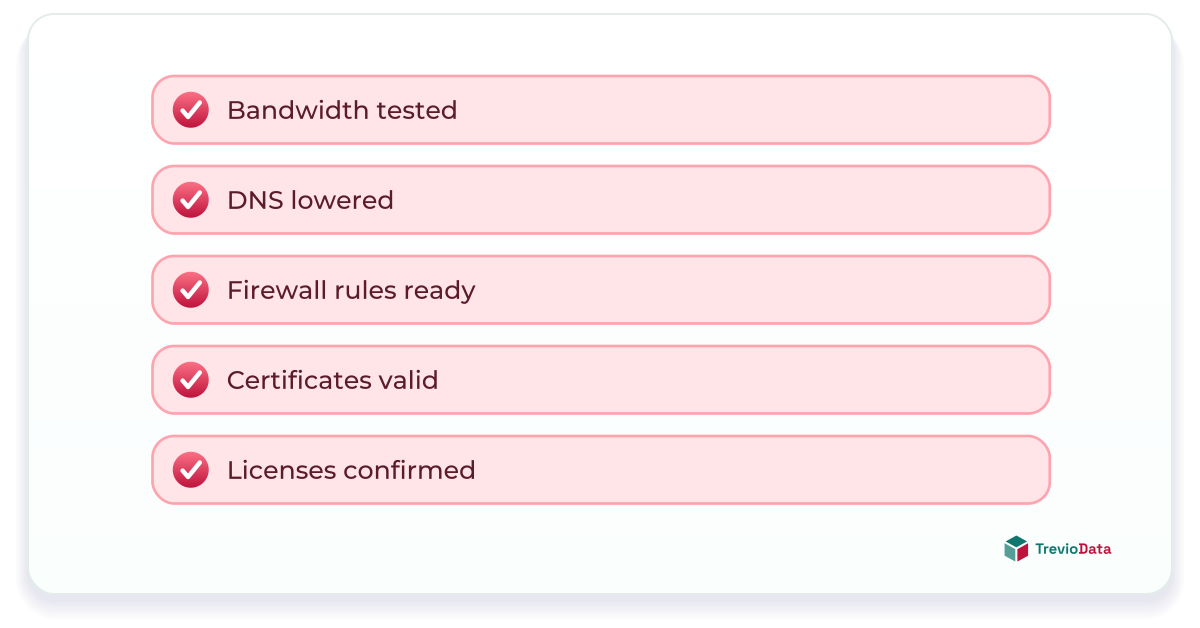
Most late surprises sit in the plumbing: DNS, firewall rules, certificates, VPNs, licensing and identity. Build connectivity first, lower DNS time-to-live values days ahead and copy rules and certificates before the wave.
Bandwidth deserves a real test. A link rated at one gigabit can give you a fraction of that for replication once other traffic competes. Measure with real data during the pilot, and plan for the slowest day.
- Do this: Keep one shared sheet for IP changes, DNS records and firewall rules, owned by a single person.
- Avoid this: Assume the new network matches the old one, or change IP addresses without checking hard-coded references.
7. Keep Stakeholders Informed and Close the Loop
Tell business owners what will happen, when and what you need from them, in short messages. After cutover, report what moved, what changed and what is still open. Then close the old site properly with wiped hardware, certificates and ended contracts.
Silence is the most common cause of friction. Users forgive a planned outage that was announced twice, and they remember an unannounced one for years. Finish with a short report that lists savings and lessons, which helps the next project.
- Do this: Name one communication lead and send updates on a fixed schedule.
- Avoid this: Let the old site linger for months because the shutdown has no owner.
Which Practice to Adopt First
You cannot fix everything at once, so pick by where you are. In my experience the order below removes the most risk per week of effort:
- Before planning: discovery and retirement, because both change the size of the project.
- During planning: waves and the rollback design, since they shape your calendar.
- Before the first cutover: test copies, network checks and the communication plan.
- After each wave: a short review to adjust the next one.
Tools help with several of these steps, such as dependency mapping and replication, and my ranking of data center migration tools shows which products suit which job. For the full sequence of steps, use the data center migration checklist alongside this list.
When Best Practices Meet Reality
No project follows the list perfectly. Deadlines compress discovery, owners disappear and a vendor drops a surprise on you in week three. The goal is to keep the habits that protect you most and to know which ones you skipped. I write the skipped ones in the project log, with the risk they carry, so the decision is visible.
Teams in a hurry should keep three things no matter what: a merged inventory, a tested rollback and one named owner per system. Everything else can be tightened, but those three prevent the failures that make the news. The problems that still appear on good projects, such as shrinking windows and legacy software, are the subject of my article on data center migration challenges.
Measure how it goes. Track unplanned downtime hours, the number of issues found after go-live and the variance between planned and actual cutover time. If all three shrink from wave to wave, the practices are working. If one grows, look at the wave that caused it before you plan the next. The bigger picture, including targets and sequencing, sits in my data center migration strategy guide.
How to Choose What to Fix on Your Own Project
Look at your last incident or near miss and ask which practice would have caught it. If a forgotten dependency caused it, strengthen discovery. If a window ran over, strengthen testing and timing. Your own history is a better guide than any generic list, and an outside review can map it quickly.
Questions About Data Center Migration Best Practices
What Are the Most Important Data Center Migration Best Practices?
Four habits give the biggest return: discover dependencies before you plan, retire what you do not need, move in small tested waves and keep a rehearsed rollback. Network checks and clear communication round out the set. Together they remove most of the surprises that cause overruns.
How Early Should I Start Discovery?
Start at least one full business cycle before your target date, and preferably longer. Month-end and quarter-end jobs only show up in traffic data when you capture over those periods. Short captures miss them, so add interviews with the people who run those processes.
Is It Better to Move Everything at Once or in Waves?
Waves are safer for almost every environment. A big-bang move can make sense for a small site with few dependencies and a generous window. For larger sites, waves limit the damage of any single failure and let your team improve with each one.
How Do I Decide Which Servers to Retire?
Look for servers with no network traffic, no logins and no named owner over a long period. Confirm with the business, take a final backup and power the server off for a trial period before the move. If nobody complains, remove it from the plan.
What Should a Rollback Plan Include?
It should state the point of no return, the exact steps to switch back, the person who decides and the time by which checks must be green. It should also explain what happens to data written at the new site. Rehearse it on a pilot so you know how long it takes.
How Do I Reduce Downtime During Cutover?
Use replication to copy data while systems keep running, lower DNS time-to-live values ahead of time and rehearse the final sync. Then the cutover window covers only the last changes and the switch. Some old databases cannot replicate and need a planned window instead.
Do These Practices Apply to a Cloud Migration?
Yes. Discovery, retirement, waves, testing, rollback and communication apply to cloud, colocation and new-site moves alike. The details differ, such as network design and identity, but the habits are the same.
Note: This article is general information, not legal, financial or tax advice. Figures and examples are estimates based on typical projects, so check current details with your providers and advisers before you decide.
Was this article helpful?
Thank you for letting us know.
Camille leads the Trevio editorial team and works with our consultants to turn real client projects into practical guides on data strategy, engineering and governance. Before joining Trevio, she spent 11 years in data engineering and analytics roles. She has since edited more than 300 articles on data management and reviewed pipelines and platforms from over 100 client projects. She is based in Denver, Colorado.