Key Takeaways
- Customer, product and supplier records are the use cases with the clearest payback.
- Healthcare matching needs high thresholds, human review and full audit trails.
- Reference data and a shared key for analytics are cheap places to start.
- Pick one use case, record a baseline and prove the numbers before you add another.
Master data management sounds abstract until you see what it fixes: an invoice paid twice, a parcel sent to an old address, a dashboard that counts one customer three times. Each of the seven use cases below starts from a pain like that, which is how every master data management consulting project I join should begin.
For each use case you get what changes, the steps involved and the tooling that fits. Use the table to find the one closest to your pain, then read that section first.
The Seven Use Cases at a Glance
| Use case | Typical domain | Where the payoff shows up |
|---|---|---|
| 1. Single Customer View | Customer | Campaigns, support and finance reporting |
| 2. Product Data Consistency | Product | Fewer returns and better listings |
| 3. Supplier Clean-Up | Supplier | Avoided double payments and better terms |
| 4. Patient and Provider Matching | Person | Safer care and cleaner billing |
| 5. Reference Data | Reference | Reports that line up without manual mapping |
| 6. Analytics and AI Readiness | Cross-domain | Reliable dashboards and models |
| 7. M&A Integration | Customer, supplier | A combined view within weeks |
Single Customer View
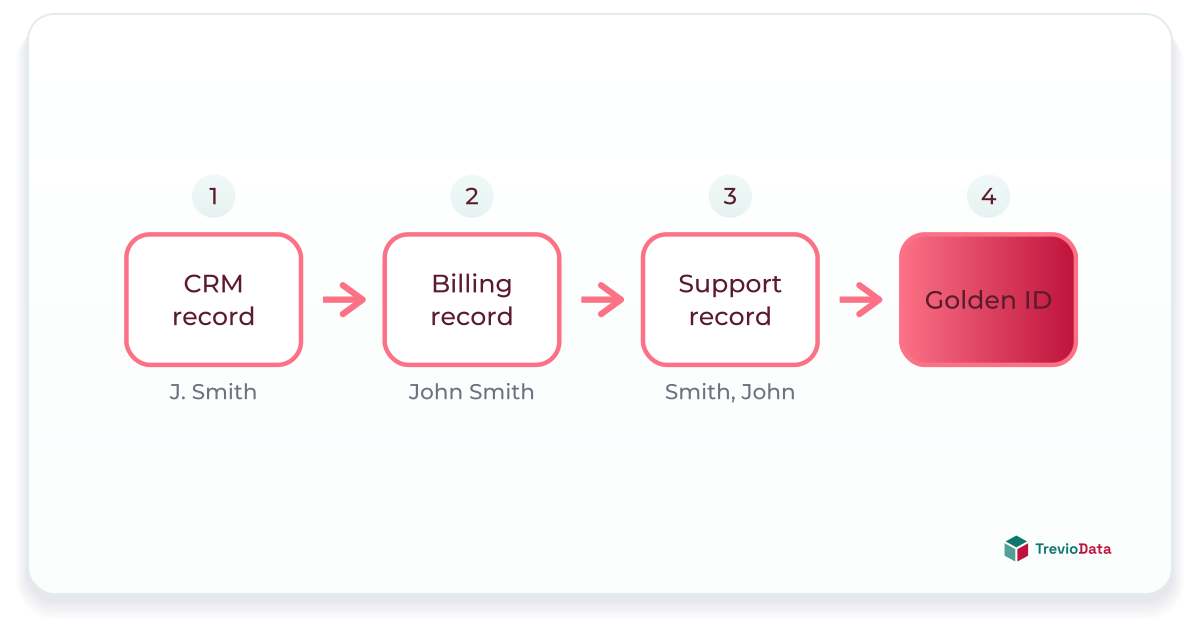
Sales, support, billing and marketing each hold their own version of a customer, so nobody can answer a simple question such as how many customers you have. Matching the records and picking a survivor per field gives every team the same account, and it ends the argument about whose count is right. In my client work, this is the use case that gets the fastest executive attention, because the pain is visible in every meeting.
The payoff shows up in campaigns that stop reaching the same person twice, support agents who see the full history and finance reports that agree with sales. Expect the political work to be harder than the technical work, since each team has to give up its own definition of a customer.
How the Work Runs
- Profile customer records in the CRM, billing tool and web shop.
- Agree one definition of a customer with sales, finance and support.
- Write match rules on tax ID, email and normalized name plus address.
- Set survivorship rules per field, such as billing address from ERP.
- Route uncertain pairs to stewards with both records side by side.
- Share the golden ID back to every connected system.
Tools That Cover It
Customer data hubs and CRM merge features cover the basics, and a dedicated platform helps when five or more systems create customers. Compare options in my overview of master data management software.
Product Data Consistency Across Channels
The same product carries different names, sizes and codes in the ERP, the web shop and marketplaces. Customers see conflicting specifications, returns rise and buyers cannot compare supplier offers. Mastering product data gives each item one identity, one set of mandatory attributes and one place to fix errors.
Retailers and manufacturers feel this first, because catalogs grow faster than anyone can check them. A product record that fails completeness rules never reaches the shop, which keeps bad listings out instead of fixing them later.
Setting It Up, Step by Step
- Inventory product sources and the attributes each one holds.
- Define mandatory attributes per product category.
- Standardize units, sizes and brand names with reference lists.
- Match supplier items to your own item numbers.
- Block publishing for items that fail completeness rules.
- Syndicate the approved record to shop and marketplaces.
What You Can Build It With
Product-focused platforms such as Stibo Systems or Pimcore are built for this. A simpler start is a shared attribute spreadsheet with validation, which proves the rules before you buy.
Supplier Onboarding and Duplicate Vendors
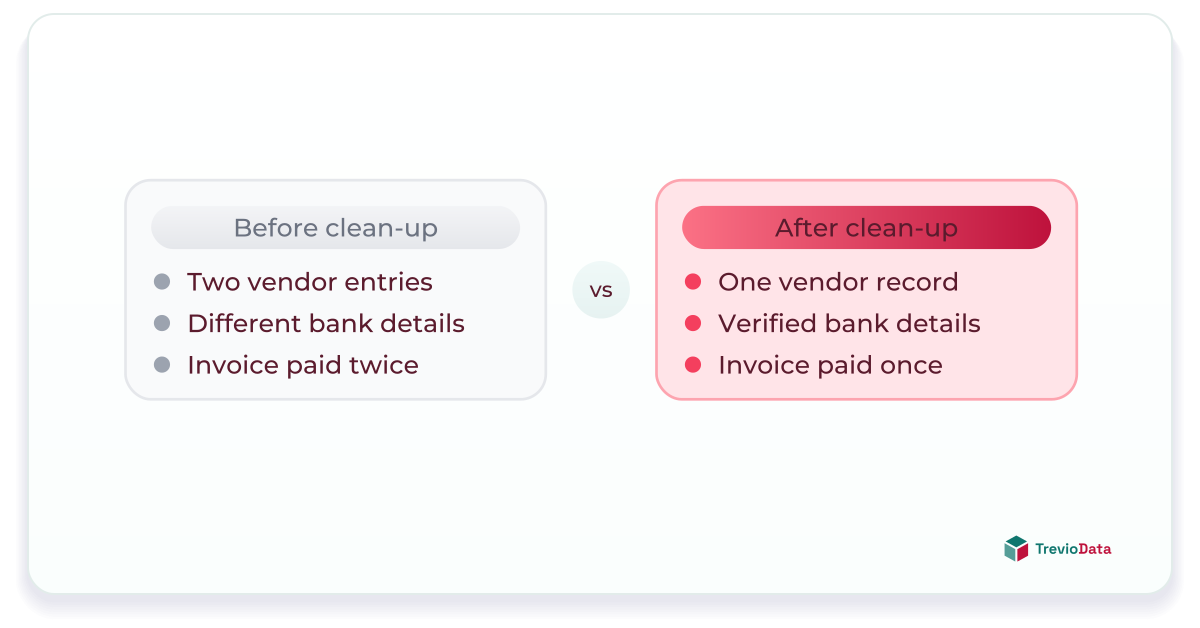
Duplicate vendor records cause double payments, missed volume discounts and inconsistent payment terms. They also hide how much you spend with one supplier. A master supplier record with verified identifiers stops duplicates at creation and gives procurement one view of each relationship.
Finance teams like this case because the savings can be counted in euros or dollars, not just in tidier data. Recovering one double payment can cover a meaningful part of the first project.
What the Process Looks Like
- Export vendor lists from the ERP and procurement tool.
- Match on tax ID, bank account and normalized name.
- Merge duplicates and keep cross-references to old vendor numbers.
- Add search-before-create to the vendor request form.
- Require verified tax and bank details before activation.
- Review changes to bank details through an approval step.
Where to Look First
Most ERPs have vendor duplicate checks, and master data platforms add cross-system matching. Add an approval workflow for bank detail changes, since those are a common fraud route.
Patient and Provider Record Matching
Healthcare organizations hold the same patient or clinician in several systems, with slightly different spellings, addresses and identifiers. Linking them correctly lets clinicians see the full record and keeps billing clean, while a wrong link can mix two people, which is serious. That makes confidence scoring and human review central to this use case.
Strict access control and audit trails are mandatory, because the data is sensitive. If you work in this sector, plan the legal and consent questions with your privacy team early.
How a Vendor Record Is Handled
- Identify all systems that create patient or provider records.
- Choose identifiers and matching attributes, and document the risk of each.
- Set high thresholds for automatic linking.
- Send every uncertain pair to trained staff for review.
- Log every link, unlink and access to the record.
- Report false-match and missed-match rates every month.
Tooling for Vendor Data
Healthcare matching often uses an enterprise master person index. Choose a tool that can show why two records were linked and that supports role-based access.
Reference and Location Data for Reporting
Region names, product hierarchies and cost centers differ across finance, sales and operations, so every report needs manual mapping. Mastering this reference data gives all systems the same hierarchy, and reports line up without a translation layer.
It is the least glamorous use case and often the cheapest one to start. A shared list of countries, regions and categories removes a large share of mismatches before you match a single customer.
How Records Are Linked Safely
- List the hierarchies that reports depend on.
- Choose one owner for each hierarchy.
- Create a single approved version with effective dates.
- Map each system's local codes to the approved version.
- Publish changes through one controlled workflow.
- Alert report owners before a hierarchy changes.
Choosing Tools Carefully
A governed table in your warehouse can be enough. Platforms help when many systems need to receive the same hierarchy changes.
Analytics and AI Readiness
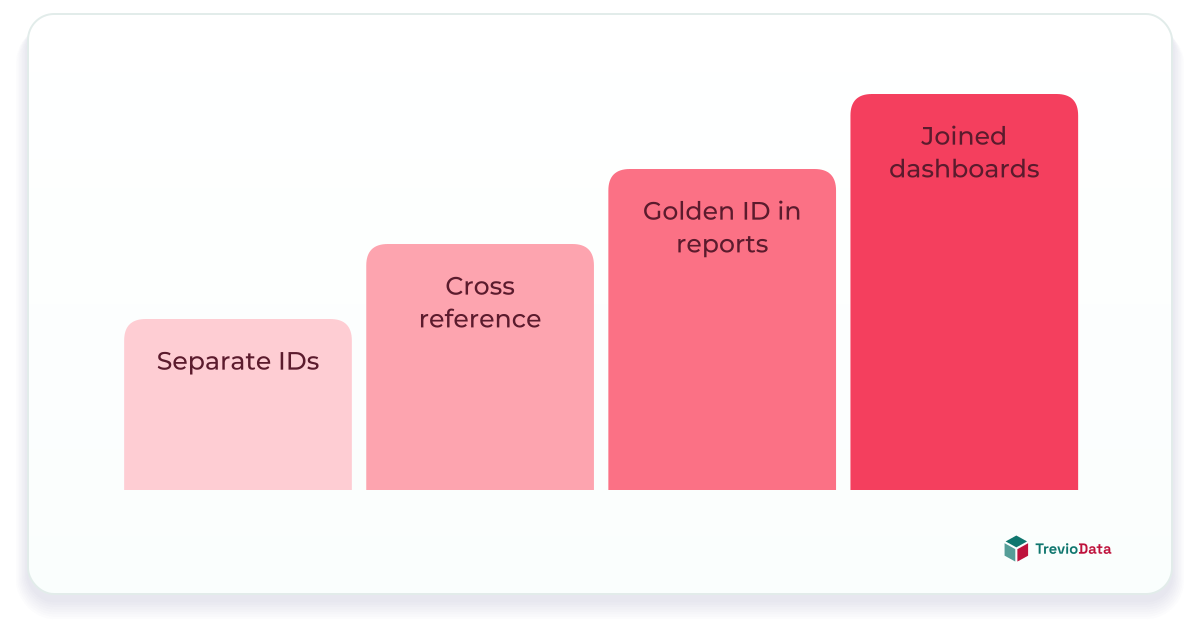
Dashboards and models built on duplicated customers or inconsistent products give wrong answers with great confidence. A mastered base gives analysts one key to join on, and it gives AI projects training data that does not double count entities.
This is increasingly the reason leaders approve MDM budgets, since a model is only as reliable as its identifiers. See how this ties to wider work in my guide to the master data management strategy.
How the Key Gets into Reports
- List the dashboards and models that depend on customers or products.
- Measure how many entities are duplicated in the data they use.
- Add the golden ID to the warehouse tables.
- Rebuild the key reports on the golden ID.
- Compare results before and after matching.
- Make the golden ID a requirement for new data projects.
What to Pair It With
Warehouse tools can join on the golden ID, and a matching layer upstream keeps it current. Start with the one report executives quote most.
Mergers and Acquisitions Integration
After an acquisition, two customer lists, two product catalogs and two supplier files must live side by side. Master data matching finds shared customers and overlapping suppliers early, which shows the real size of the combined business and the cross-sell chances.
Deals rarely wait for clean data, so many teams run a registry-style link first and consolidate later. That gives leadership a combined view within weeks while the slower clean-up continues.
How the Two Companies Are Combined
- Load both companies' records into a staging area.
- Match shared customers and suppliers across the two sets.
- Report overlaps and conflicts to the integration team.
- Agree which company's rules win for each field.
- Link records first and merge them in later phases.
- Migrate systems one at a time with rollback plans.
The Right Setup for a Deal
A registry or consolidation style fits this need, because it does not force either company to change systems on day one.
Supplier clean-up deserves a second look before you rank the rest, because its savings are the easiest to prove.
Comparing Effort and Payoff
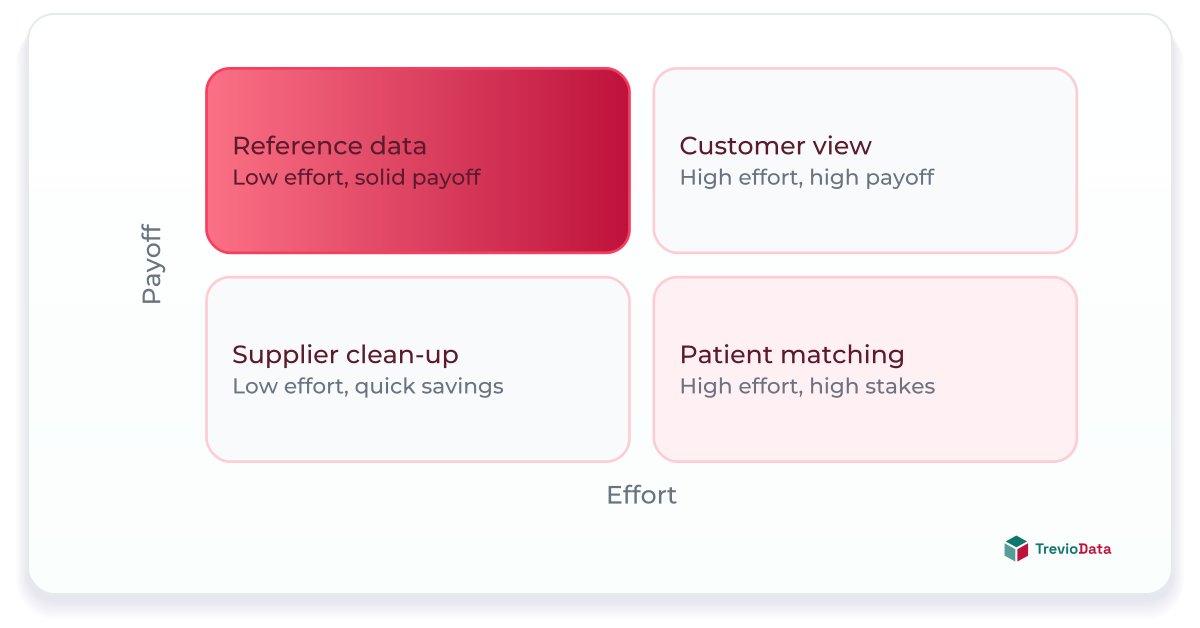
The use cases differ in effort, not only in payoff. Reference data is quick and cheap, supplier and customer cases sit in the middle and healthcare matching and mergers carry the most risk.
| Use case | Effort | Main risk |
|---|---|---|
| Reference data | Low | Hierarchy changes without notice |
| Supplier clean-up | Low to medium | Bank detail fraud if approvals are weak |
| Customer view | Medium to high | Teams disagree on the definition |
| Product consistency | Medium to high | Many attributes per category |
| Analytics readiness | Medium | Reports not rebuilt on the new key |
| Patient and provider | High | False matches that mix two people |
| M&A integration | High | Deadlines that outrun the data work |
Plot the rows by effort and payoff and the cheap starting points stand out.
How to Choose Your First Use Case
Look for three traits: a cost you can count, few source systems and an owner who wants the result. Before you commit budget, check your shortlist. The steps that follow a decision are in my master data management implementation plan and the master data management framework:
- You can name the cost of bad records in euros or dollars per month.
- Fewer than five systems create the records.
- A business owner will sponsor the work and name a steward.
- You can measure a baseline before you start.
Analytics readiness belongs on your shortlist only when reports can move to the new key.
Next, decide how the work fits your plan. My master data management strategy guide covers prioritizing domains, and the master data management best practices keep the result from decaying. When tools come up, compare them in the ranking of master data management software. Wider help with matching rules and platform choice is available through data quality consulting.
Questions About Master Data Management Use Cases
What Are the Most Common Master Data Management Use Cases?
The most common are a single customer view, consistent product data, clean supplier records, linked patient or provider records, shared reference data, analytics readiness and post-merger integration. Which one fits you depends on where bad records cost you the most money.
Which MDM Use Case Has the Fastest Payback?
Supplier duplicates and customer duplicates tend to pay back fastest, because double payments, returned mail and failed deliveries can be counted. Product data pays back where returns and incomplete listings are the main cost.
Can I Start with More than One Use Case?
You can, but I advise against it for the first project. Each domain has its own owners and rules. Finish one, prove the numbers for a quarter and then reuse the method on the next.
What Data Do I Need to Start an MDM Use Case?
You need access to the source systems that create the records, a sample large enough to test rules and a baseline number such as a duplicate rate or the cost of failed deliveries. Profiling your sources comes first.
Is MDM Only for Large Companies?
No. Smaller companies run the same use cases with lighter tools, such as a steward routine and merge features in their CRM. You need a platform when several systems create the same records and you need workflows and audit trails.
How Does MDM Relate to Data Quality?
Data quality fixes errors in fields, such as bad formats and missing values. MDM decides which record represents a real-world entity and shares it across systems. Most projects need both, and data quality rules often feed the matching.
How Do I Estimate the Value of a Use Case?
Count the cases where bad records cost money, such as double payments, failed deliveries and corrected invoices, then multiply by a per-case cost. Add the hours staff spend fixing and reconciling records. Even a rough figure gives you a baseline to beat.
Disclaimer: This article is general information, not legal, compliance or financial advice. Check the rules that apply to your data and industry.
Was this article helpful?
Thank you for letting us know.
Camille leads the Trevio editorial team and works with our consultants to turn real client projects into practical guides on data strategy, engineering and governance. Before joining Trevio, she spent 11 years in data engineering and analytics roles. She has since edited more than 300 articles on data management and reviewed pipelines and platforms from over 100 client projects. She is based in Denver, Colorado.