Key Takeaways
- Ownership, point-of-entry checks and a baseline matter more than the choice of platform.
- Automate clear matches and send uncertain ones to a named steward.
- Clean-ups decay unless creation forms and source systems change too.
- Report duplicate rate, completeness and queue age to the domain owner every month.
Master data projects rarely fail because the software could not match two names. They fail because nobody agreed who decides which record is right, or because the same duplicates were created again a month after the clean-up. In the master data management consulting work I review, the same eight habits separate the programs that hold from the ones that decay.
Each practice below has the same shape: what it is, why it matters, what to do and what to avoid. If you are still planning, read them next to my master data management strategy playbook.
The Eight Practices at a Glance
| Practice | Main payoff |
|---|---|
| 1. Start With One Domain and a Priced Problem | Pick the domain where bad records cost the most and where the fewest systems create them. |
| 2. Name a Business Owner and a Steward for Every Domain | Master data is a set of decisions about what a correct record is. |
| 3. Profile Your Data Before You Design Anything | Profiling shows null rates, format variations and duplicate clusters, and it usually surprises people. |
| 4. Write Match and Survivorship Rules in Plain Language | A rule like "match when the normalized tax ID is equal, or when name similarity is high and the postcode is equal" can be read and argued with by a steward. |
| 5. Fix Records at the Point of Entry | Cleaning a duplicate after the fact is expensive, and it comes back if the source keeps creating it. |
| 6. Keep Humans in the Loop for Uncertain Matches | Automatic merging works for clear cases. |
| 7. Connect the Golden Record Back to Your Systems | A golden record that lives only in a hub helps analysts and nobody else. |
| 8. Measure Quality Every Month and Show the Owner | Metrics keep the program honest. |
1. Start With One Domain and a Priced Problem
Pick the domain where bad records cost the most and where the fewest systems create them. In my client work, the first project that names a cost, such as a share of invoices needing correction, gets budget approved weeks sooner than one that promises a single view of everything.
Do this
- Write a one-page business case with a baseline number before any tool is considered. Scope the first release to one domain and two or three source systems.
Avoid this
- Launching a company-wide program with seven domains and no baseline. It cannot show a win, so it loses support after two quarters.
2. Name a Business Owner and a Steward for Every Domain
Master data is a set of decisions about what a correct record is. Decisions need an accountable person, and the person is rarely in IT. Pair a business owner with one or two stewards who handle the daily queue.
Do this
- Put names, not departments, in the plan. Give stewards time on their calendar and the authority to approve merges.
Avoid this
- Assigning the domain to the IT team because they run the database. Rules then drift away from how sales, finance and operations work.
3. Profile Your Data Before You Design Anything
Profiling shows null rates, format variations and duplicate clusters, and it usually surprises people. A field everyone assumed was mandatory is empty in a third of the records, or one system uses codes the others have never heard of.
Do this
- Run profiling on every source for the domain and share the results in a workshop. Let the findings set the priorities for matching and standardization.
Avoid this
- Designing the data model from interviews alone. Opinions about data quality are consistently kinder than the data.
4. Write Match and Survivorship Rules in Plain Language
A rule like "match when the normalized tax ID is equal, or when name similarity is high and the postcode is equal" can be read and argued with by a steward. A black box cannot. Survivorship rules say which source wins per field and deserve the same clarity.
Do this
- Keep a rule register with an example pair for each rule. Test on a few thousand real records and review a sample of merged and unmerged pairs.
Avoid this
- Accepting default thresholds from a vendor demo. They were tuned on someone else's data.
5. Fix Records at the Point of Entry
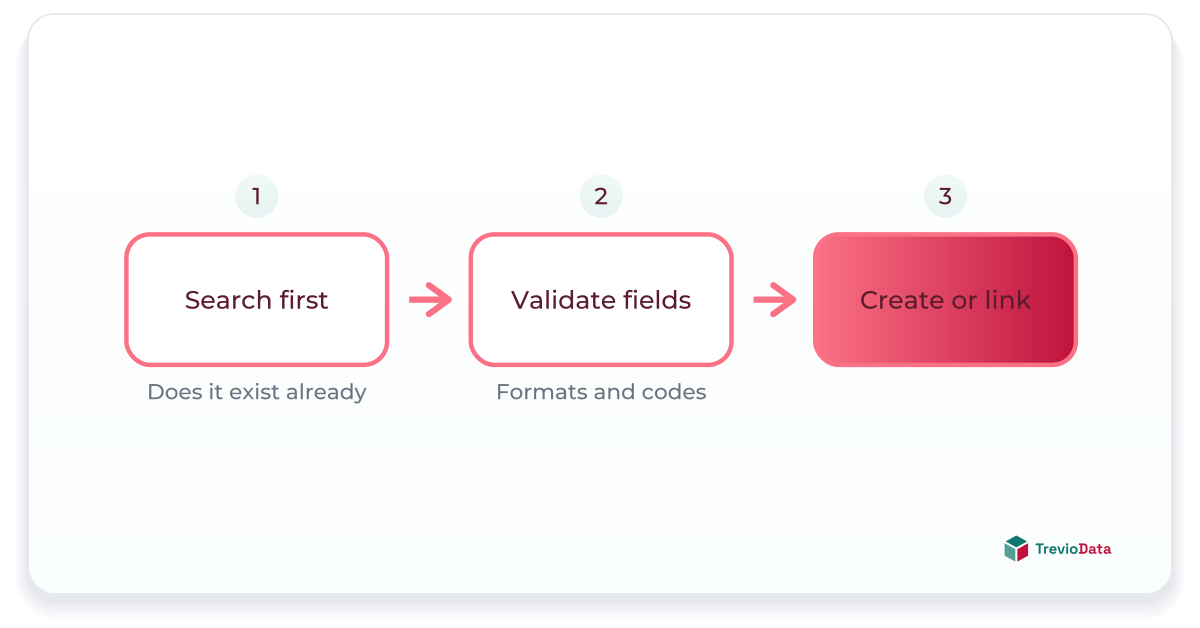
Cleaning a duplicate after the fact is expensive, and it comes back if the source keeps creating it. Validation, search-before-create and required fields at the point of entry stop most duplicates before they exist.
Do this
- Add a duplicate check to the customer, supplier or product creation form. Standardize address and country fields with a reference list.
Avoid this
- Running a yearly clean-up while the creation forms stay unchanged. The duplicate rate returns to its old level within months.
6. Keep Humans in the Loop for Uncertain Matches
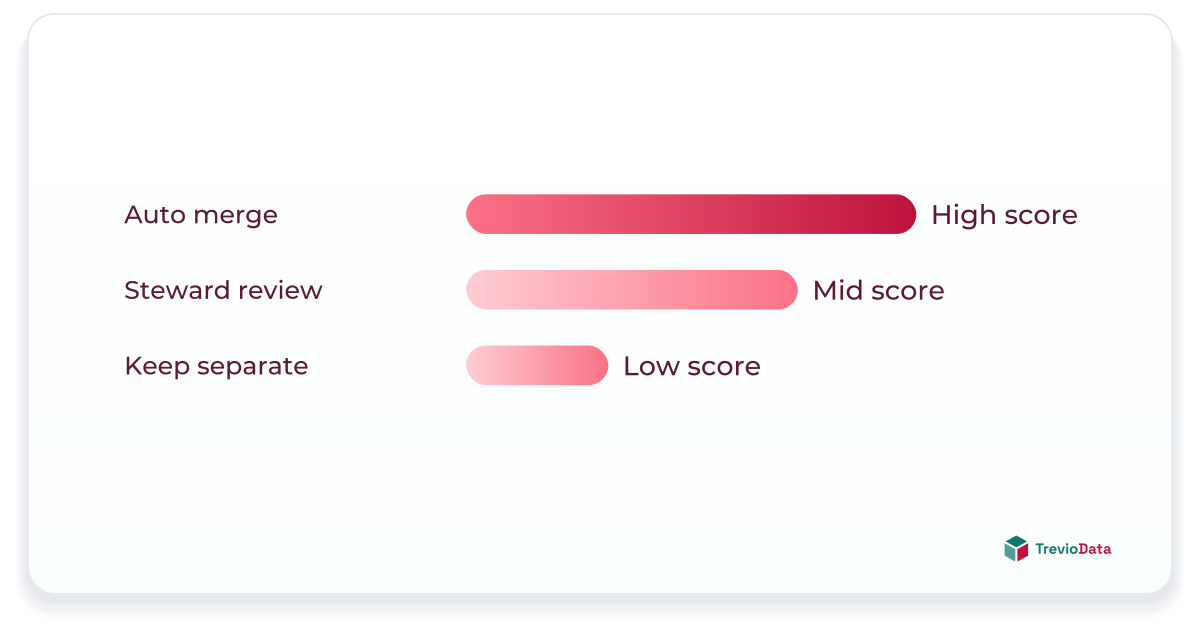
Automatic merging works for clear cases. In the gray zone, a wrong merge can combine two customers or two suppliers, and undoing it is painful. A confidence score and a review queue protect you.
Do this
- Set an upper threshold for automatic merge and a lower one for no match. Send everything between to a steward with both records side by side. Keep an unmerge option and an audit trail.
Avoid this
- Setting the automatic threshold low to make the queue shorter. The queue looks good while errors pile up.
7. Connect the Golden Record Back to Your Systems
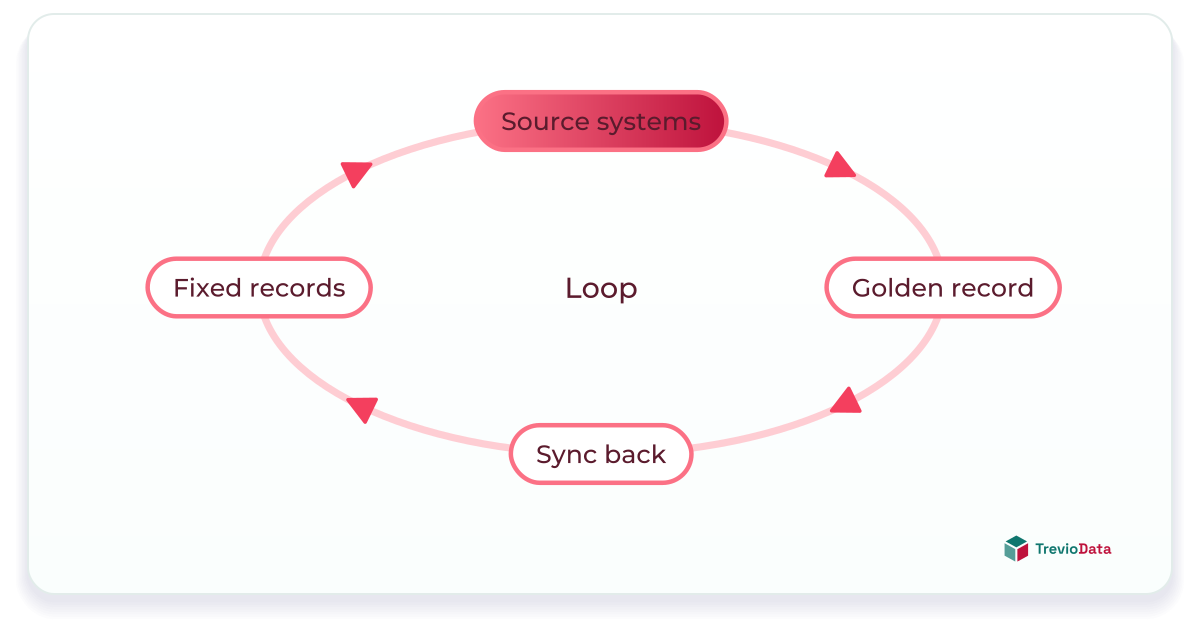
A golden record that lives only in a hub helps analysts and nobody else. The value shows up when the CRM, ERP and web shop receive the corrected data, or at least a shared identifier that links their records.
Do this
- Decide per system whether it reads, receives or writes master data. Start with the two systems where errors hurt most. Document each data flow so security and audit can review it.
Avoid this
- Treating the hub as a reporting database. Operations keep using the old data, and the clean-up never reaches the people who create the errors.
8. Measure Quality Every Month and Show the Owner
Metrics keep the program honest. Duplicate rate, completeness and steward queue age tell you whether rules need work or a source system is misbehaving. A business owner who sees these monthly will fund the next domain.
Do this
- Record baselines before launch. Send a one-page scorecard to each domain owner every month and review it quarterly. Link at least one metric to a cost, such as returned mail.
Avoid this
- Reporting only the number of records merged. It measures activity and says nothing about quality.
What to Do First, Second and Third
You do not need all eight on day one. The order below follows how I stage the work in a typical first domain. The first three are decisions and cost almost nothing, the next three are build work and the last two keep the result alive.
| Stage | Practices | What you have at the end |
|---|---|---|
| Decide | 1, 2, 3 | A scoped domain, named owners and a profiling report |
| Build | 4, 5, 6 | Tested rules, entry checks and a review queue |
| Sustain | 7, 8 | Connected systems and a monthly scorecard |
The step-by-step sequence for the build stage is in my master data management implementation guide, and the model behind the rules is explained in the master data management framework. If you want to see what these habits are worth, the master data management use cases article shows typical payoffs by domain.
How the Practices Change With Company Size
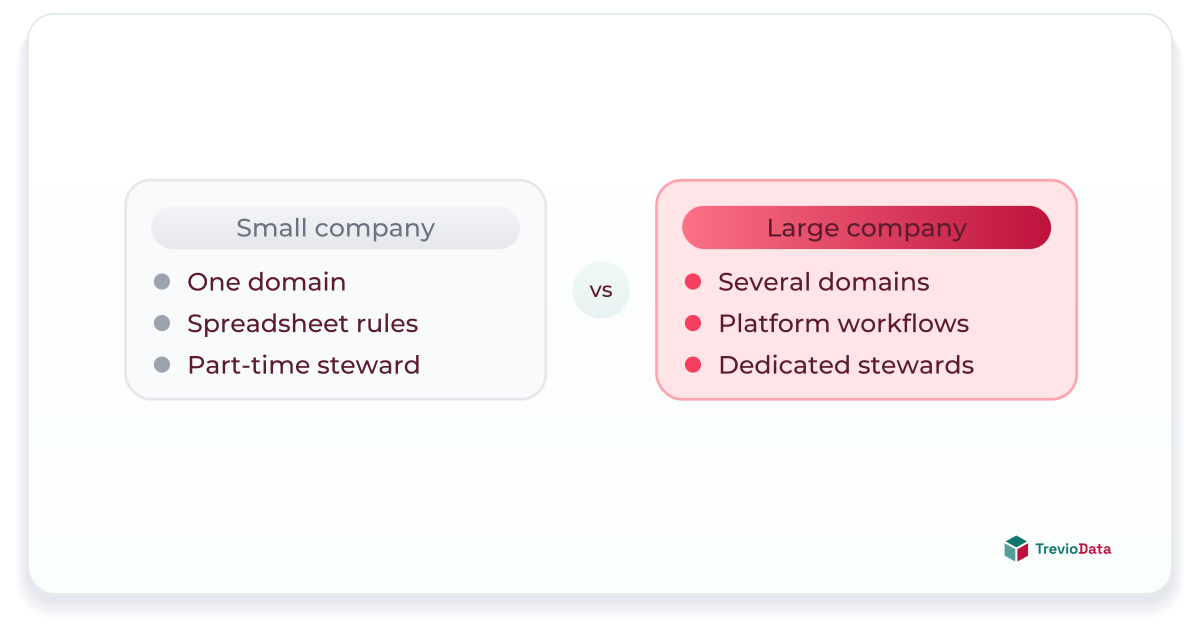
A company with a single CRM and an accounting tool does not need a stewardship council. It needs one person who checks the duplicate report every Friday and a creation form that warns before a second "Acme" is added. The habits are the same, the machinery is lighter. A 3,000-person company with six ERPs needs formal domain owners, a rule register and a platform, because the volume of decisions is too high for spreadsheets.
The mistake in both directions is copying someone else's setup. Small teams that adopt an enterprise operating model drown in meetings, and large ones that run on a spreadsheet lose track of who changed what. Size the process to the number of systems that create the records and the number of people who edit them, then revisit the setup once a year. In my experience, the first sign you have outgrown a lightweight approach is a steward queue that is never empty, or two teams editing the same record with conflicting results.
How to Pick Your Starting Practice
If your records are in bad shape and you can only change one thing this quarter, change the point of entry. It stops the leak. If the records are in decent shape but people argue about numbers, start with ownership and definitions. If you have a tool but little trust in it, go back to profiling and rule tests. Match the practice to the symptom:
- Duplicates keep coming back: practice 5, then 7.
- Nobody agrees which number is right: practices 2 and 4.
- Merges create mistakes: practices 4 and 6.
- The project lost support: practices 1 and 8.
When the tooling question comes up, compare options in my ranking of master data management software after you have settled ownership and rules.
Questions About Master Data Management Best Practices
What Are the Most Important Master Data Management Best Practices?
Start with one domain and a priced problem, name business owners and stewards, profile data first, write readable match rules, fix errors at the point of entry, keep humans in the loop and measure monthly. If you only do three, pick ownership, point-of-entry checks and a baseline.
How Do I Keep Master Data Clean After the Project Ends?
Quality decays when nobody owns it. Keep stewards in place, keep validation on the creation forms and review the scorecard each month. Assign a budget line for rule tuning, because match thresholds and survivorship rules need adjusting as data and systems change.
Should Master Data Be Centralized or Federated?
It depends on how much control you need and how many teams edit records. Centralized entry gives the cleanest data but changes how people work. Coexistence lets teams keep their tools while a hub reconciles changes. Many companies centralize suppliers and products and use coexistence for customers.
How Much of the Matching Should Be Automated?
Automate the clear cases, such as exact matches on a verified identifier, and review the uncertain ones. Starting conservatively and loosening thresholds as you see stewards agree with the suggestions is safer than the reverse.
What Is the Biggest Mistake Companies Make with MDM?
Buying a platform before agreeing on ownership and rules. The tool then gets configured around unresolved arguments. A close second is scoping too many domains at once, which prevents a visible early result.
Do These Practices Apply to Small Companies?
Yes, in a lighter form. A small company can run ownership, point-of-entry checks and a monthly duplicate count with a spreadsheet and a CRM merge tool. You only need a platform once several systems create the same records.
How Do I Choose a Master Data Management Tool?
Choose after you know your domain, rules and owners. Run a proof of concept on your messiest records and ask for a written quote that includes implementation. My ranking of MDM software weighs up the main options.
Disclaimer: This article is general information, not legal, compliance or financial advice. Check the rules that apply to your data and industry.
Was this article helpful?
Thank you for letting us know.
Camille leads the Trevio editorial team and works with our consultants to turn real client projects into practical guides on data strategy, engineering and governance. Before joining Trevio, she spent 11 years in data engineering and analytics roles. She has since edited more than 300 articles on data management and reviewed pipelines and platforms from over 100 client projects. She is based in Denver, Colorado.