Key Takeaways
- A privacy audit tests what your systems really do against your own rules and the requirements that apply to you.
- Review eight areas: inventory, purpose and consent, retention, access, vendors, requests, incidents and training.
- Score each finding with likelihood, impact and detectability, then multiply to rank them.
- Collect evidence as you go and keep it in one dated folder, so the next audit is faster.
Auditors and consultants say the same thing after a few years: the policy is rarely where the problem is. The problem is the staging database with a full copy of customer records, or the former employee whose account still reaches the CRM. A good data privacy consulting engagement starts with an audit because it replaces opinions with evidence.
This guide shows what to review, how to score what you find and what a finished audit leaves you with. I use a simple formula for the scoring, and I walk through it with a worked example so you can copy it.
Set the Scope Before You Look at Anything
An audit without a scope turns into a hunt. Decide three things first: which entities and regions, which data types and which systems. For a first audit I suggest you cover the systems that hold customer or employee data, plus every vendor that processes it. Leave low-risk internal tools for the second round.
Write the scope on one page with the date, the people involved and the rules you test against. Those rules include your own policies and the requirements your counsel confirms apply. Auditing against rules nobody agreed on produces long arguments instead of findings.
The Eight Areas to Review
These areas cover what most audits and most buyer questionnaires ask about. The table shows what you check and what evidence proves it.
| Area | What you check | Evidence to collect |
|---|---|---|
| 1. Inventory | Is every system with personal data listed, with owner and purpose? | Data inventory, system list from single sign-on and finance |
| 2. Purpose and consent | Is each use of data tied to a stated purpose or a recorded choice? | Consent logs, banner settings, tag configuration |
| 3. Retention | Do deletion jobs run, and do they cover backups and exports? | Retention schedule, job logs, sample queries |
| 4. Access | Who can reach personal data, and is it still justified? | Access lists, leaver reports, role definitions |
| 5. Vendors | Are processors known, contracted and reviewed? | Vendor list, agreements, review records |
| 6. Requests | Do requests get answered on time, with a record? | Request log with dates, sample responses |
| 7. Incidents | Is there a tested process for detecting and reporting incidents? | Incident plan, past incident files, test notes |
| 8. Training | Do staff who handle data know the rules? | Training records, new-hire checklist |
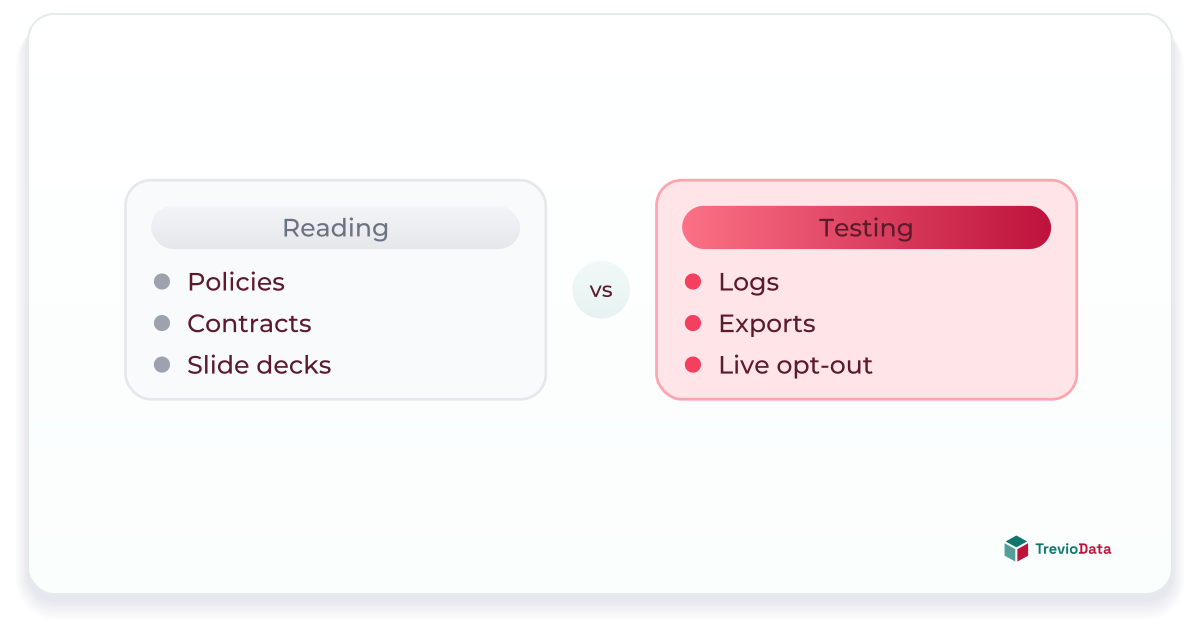
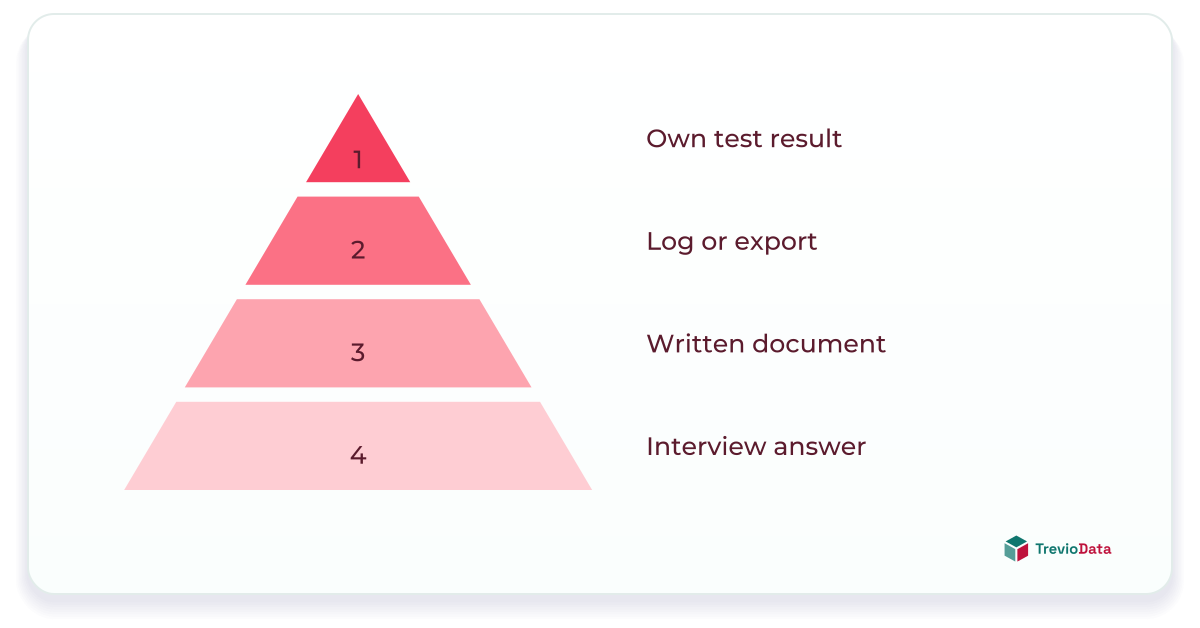
Notice that six of the eight areas are tested with logs and exports, not with interviews. Interviews tell you what people believe. Logs tell you what happened.
The Scoring Formula
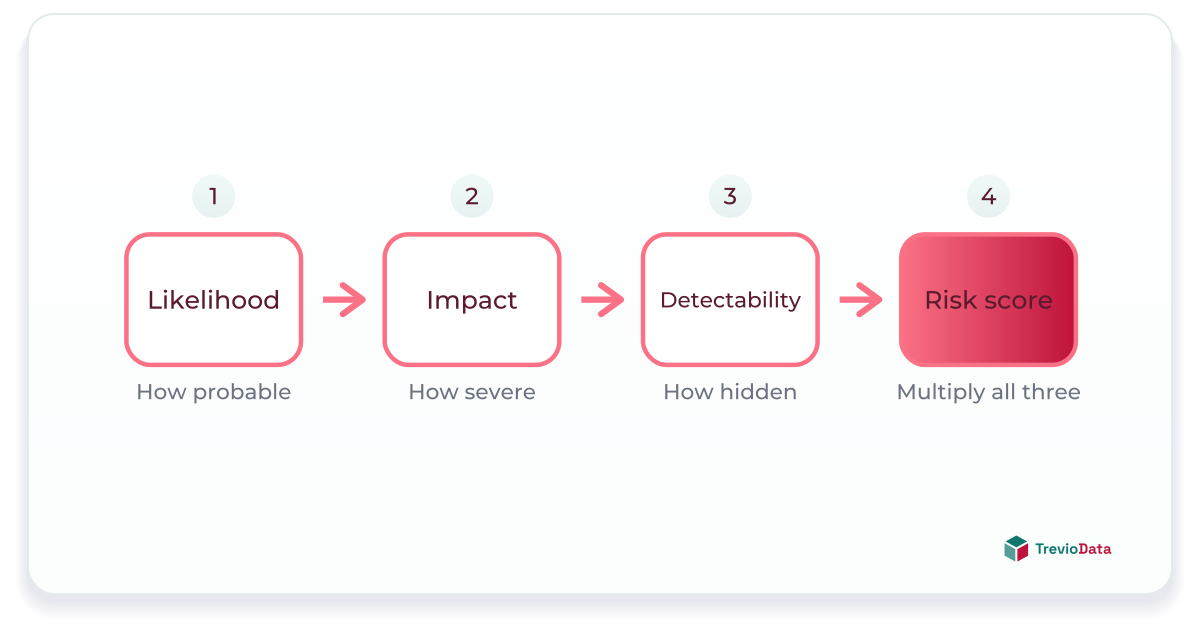
Once you have findings, you need a fair way to rank them. I use three factors, each scored from 1 to 5, and multiply them:
Risk score = Likelihood x Impact x Detectability
Likelihood asks how probable it is that the gap leads to a problem within a year. Impact asks how bad it is, based on data sensitivity, number of records and who is affected. Detectability runs in reverse: score 5 if you would probably not notice the problem for months, and 1 if alerts or reviews would catch it quickly. Multiplying gives a range from 1 to 125, and the order matters more than the exact number.
| Score | Likelihood | Impact | Detectability |
|---|---|---|---|
| 1 | Very unlikely | Minor, few non-sensitive records | Caught quickly by alerts |
| 3 | Possible within a year | Many records or some sensitive fields | Found at the next review |
| 5 | Likely or already happening | Sensitive data, large volume, external exposure | Would likely go unnoticed for months |
Treat any finding that suggests a reportable incident as outside the formula. It goes to your counsel at once, since reporting rules and deadlines are legal matters.
A Worked Example With Three Findings
Take a regional retailer with an online shop, a loyalty program and a marketing team of six. The audit found three gaps in the first two weeks.
| Finding | L | I | D | Score |
|---|---|---|---|---|
| Marketing export of 80,000 loyalty members in a shared drive, link open to anyone in the company | 4 | 4 | 5 | 80 |
| No deletion job on order history older than seven years | 3 | 3 | 4 | 36 |
| Two email tools with different opt-out lists | 4 | 2 | 3 | 24 |
The export scores highest because it is likely to be shared further, holds many records and would not show up in any alert. The fix takes an afternoon: delete or restrict the file. The retention gap takes a project, and the email lists take a sync rule between tools. The formula gave the retailer a defensible order, and the cheapest fix landed first.
Findings That Show Up in Most Audits
After enough audits, patterns repeat. These are the ones I expect before I open the first system, listed from most to least frequent in my own client work.
Old exports come first. Someone pulled a customer list for a campaign or a report, saved it to a shared drive and left it there. Next come accounts that outlived their owners: contractors, former staff and test users with live access to production data. Third, retention rules that exist on paper while no job deletes anything. Fourth, marketing tools added with a credit card and no review, each holding contact data and many sending it onward to other services.
Further down the list sit vendor agreements that are missing or out of date, consent choices that do not reach every tool and request logs that are incomplete. None of these is exotic. They appear because nobody was asked to look, and each one is cheap to fix once seen.
A Six-Week Audit Timeline
Planning the weeks helps you hold the scope. This schedule fits an estate of 10 to 20 systems. Larger estates stretch the middle weeks.
| Week | Work | Output |
|---|---|---|
| 1 | Agree scope and rules, request evidence, book owner interviews | Scope page, evidence request list |
| 2 | Build the inventory, compare it with single sign-on and finance lists | Draft inventory with gaps marked |
| 3 to 4 | Review the eight areas, run end-to-end tests, collect exports | Findings log with evidence |
| 5 | Score findings as a group, agree owners and dates | Ranked risk register |
| 6 | Write the summary, present to the sponsor, schedule retests | Short report and fix plan |
The weeks slip when evidence arrives late, so send the request list on day one and follow up twice. In my experience, an owner who receives a clear list of exactly what to export answers within days. An owner who receives a vague request answers in a month.
Collecting Evidence Without Drowning in It
Create a shared folder with one subfolder per area, and add each item with the date and the person who supplied it. Ask system owners for exports and screenshots instead of descriptions. Request them in a single message with a due date, listing exactly what you need, because vague requests get vague answers.
- Inventory and the list of apps from single sign-on and finance, compared line by line.
- Access lists for the five systems with the most personal data, matched against the leaver list.
- Retention job logs, plus a sample query showing old records are gone.
- Request log with received and closed dates for the past year.
- Vendor list with agreements and last review dates.
- Consent logs and a test of the opt-out path in a browser.
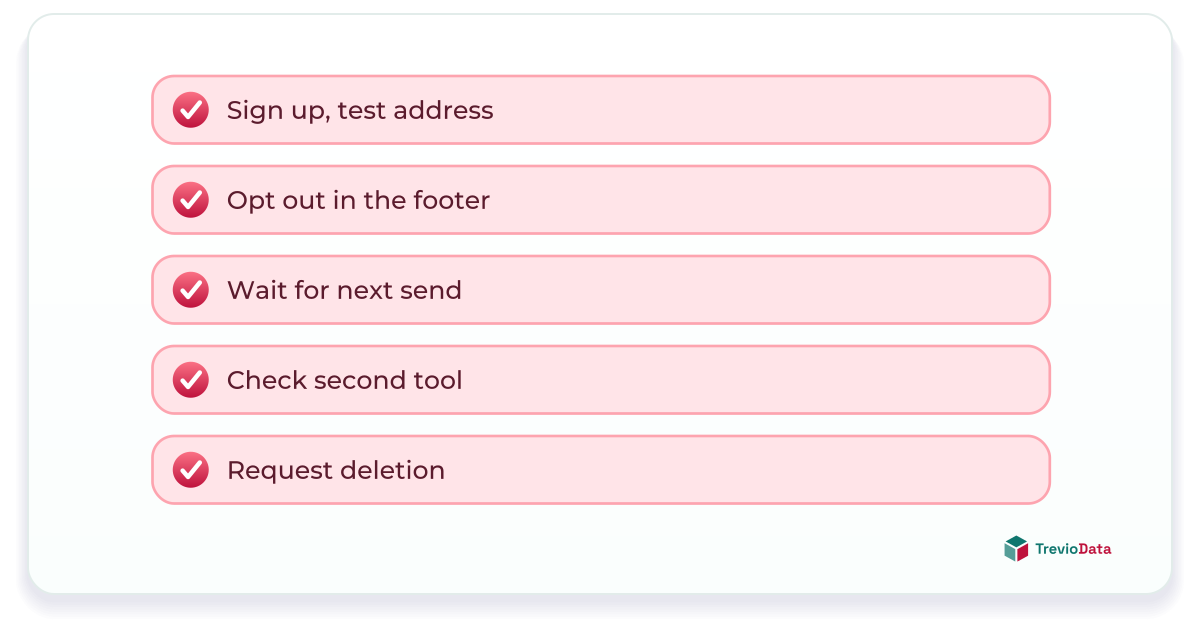
One cheap test finds a lot: sign up with a test address, opt out, then see whether marketing still emails it after a week. Do the same with a deletion request. These end-to-end checks catch what component reviews miss.
Handling the People Side of an Audit
Audits create worry. System owners hear "audit" and expect blame, so they hide things or delay. Tell them at the start that the goal is a ranked list of fixes, and that findings describe systems, not people. In my projects, owners who hear that early tend to volunteer problems in the first interview, which saves weeks.
Share draft findings with owners before the report goes to leadership. They will correct factual errors, and they will feel the process was fair. Give them a few days, then finalize. Leadership should see the same numbers the owners already agreed with.
Finally, thank the teams that gave the most evidence, and say what changed because of it. The second audit is easier when the first one felt useful to the people in it.
Reporting and Closing Findings
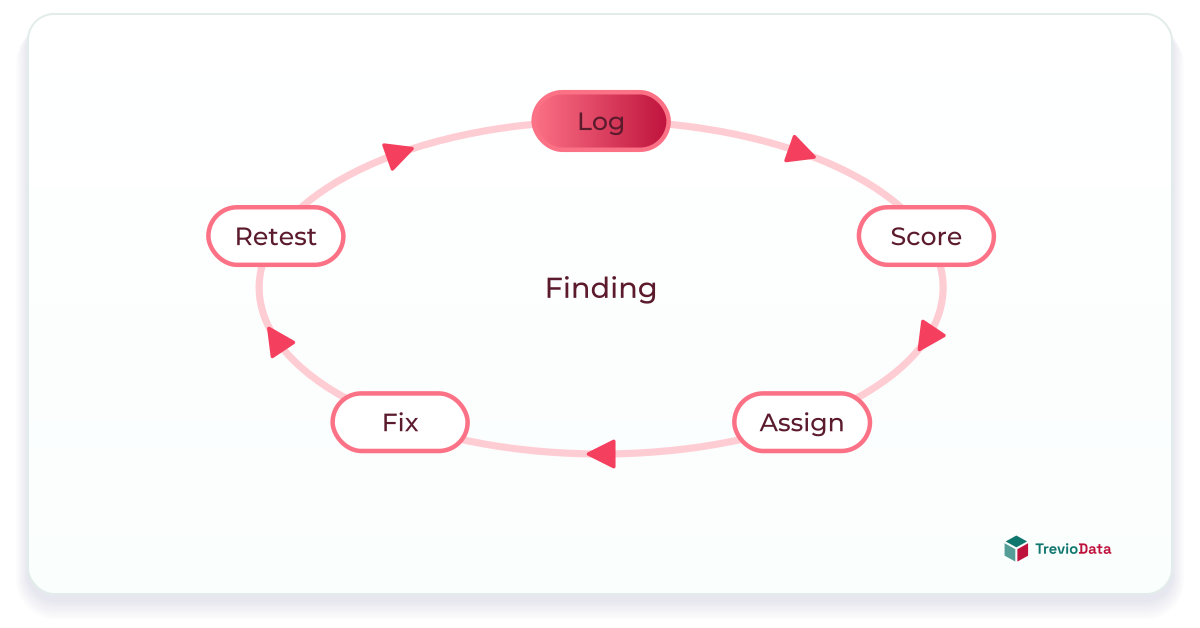
A good report is short. Start with a one-page summary of the top five findings, the plan to fix them and what leadership must decide. Put detail in an appendix. Each finding gets an owner, a due date and a test for done, and goes into a register that you review every quarter.
Retest what you close. A sample query or a repeat of the end-to-end test takes minutes, and it tells you whether the fix works. The remaining findings feed your plan, and the sequencing method in my data privacy strategy guide helps you place them in quarters. Day-to-day upkeep belongs to the routines described in data privacy management.
If you are unsure where you stand before you audit, start with a lighter data privacy assessment, which points to the areas worth auditing first. Scanning tools can speed evidence gathering in large estates, and my comparison of data privacy tools covers discovery and request platforms. New rules and signals change what auditors expect each year, which I track in data privacy trends.
How to Choose Who Audits You
An internal audit costs less and gives you context. An external audit gives you independence and a report buyers trust more. Many companies do internal audits yearly and bring in an outsider every second or third year.
Whoever does it, check that they will test evidence and not only read policies, that they have access to system exports, and that they will give you a ranked list and not a 90-page report. If you want help setting that up, a short call is a good start.
Questions About Data Privacy Audits
What Is a Data Privacy Audit?
It is a structured review of how your organization collects, uses, stores, shares and deletes personal data, compared against your own rules and the requirements that apply to you. It produces a data map, a list of gaps with a risk score and a plan to close them. An audit looks at what is really happening in your systems, not only at what your policies say.
How Is an Audit Different from an Assessment?
An assessment estimates your maturity and readiness, usually from interviews and a questionnaire. An audit checks evidence: system settings, access lists, retention jobs, contracts and request logs. Many teams run an assessment first to find where to look, then audit the areas that look weakest.
How Long Does a Privacy Audit Take?
A focused audit of 10 to 20 systems usually takes three to six weeks, including interviews, evidence collection and the report. Large estates take longer. The slowest part is nearly always getting evidence from busy system owners, so ask for it early.
Who Should Perform the Audit?
Someone who does not own the controls being checked. That can be an internal compliance or security person, or an outside consultant. Independence matters more than title, because owners tend to rate their own areas generously.
How Often Should I Audit?
Run a full audit every year or two, and a smaller targeted audit after major changes such as a new core system, a merger or a new market. Between audits, check key metrics each quarter, so problems do not wait a year to appear.
What Evidence Do Auditors Ask For?
Expect data inventories, retention schedules, screenshots or exports of access lists, consent logs, vendor contracts and review records, request logs with dates, training records and incident reports. Keep them in one shared folder with dates, and the next audit gets much faster.
What Do I Do with the Findings?
Rank them by risk score, assign an owner and a due date to each, and track them in a register that leadership sees every quarter. Close the high-risk, low-effort items first. Re-test closed findings, because a fix that is not verified is a hope.
Disclaimer: This article is general information, not legal advice. Privacy rules differ by country and state and change often, so confirm your obligations with your own counsel.
Was this article helpful?
Thank you for letting us know.
Camille leads the Trevio editorial team and works with our consultants to turn real client projects into practical guides on data strategy, engineering and governance. Before joining Trevio, she spent 11 years in data engineering and analytics roles. She has since edited more than 300 articles on data management and reviewed pipelines and platforms from over 100 client projects. She is based in Denver, Colorado.