Key Takeaways
- Ownership, shared definitions and pipeline monitoring remove most day-to-day data pain.
- Prevent bad data at the source, because fixing it later costs far more.
- Keep rules short and tie each one to a named person and a measure.
- Start with three practices, prove the result and add the rest one at a time.
Data management advice tends to come as long frameworks. Teams need something shorter: a handful of habits they can start this month. These nine are the ones I see separating teams whose reports people trust from teams who argue about numbers. Many of them also sit at the center of a typical data management consulting engagement.
Each practice below has a short do and avoid list, then a few lines on why it matters. The order is roughly the order I would introduce them, so start at the top.
| Practice | Effort | Typical first step |
|---|---|---|
| 1. One owner per domain | Low | List domains, name owners |
| 2. One definition per metric | Low | Agree on the ten most disputed metrics |
| 3. Validate at entry | Medium | Add required-field checks to one form |
| 4. Monitor pipelines | Medium | Add freshness alerts to key jobs |
| 5. One trusted copy | High | Match duplicates in the customer table |
| 6. Role-based access | Medium | Review who can see sensitive fields |
| 7. Document as you build | Low | Create a template for each table |
| 8. Quality scorecard | Low | Pick four measures and track them |
| 9. Review and retire | Medium | Set retention for the largest tables |
The Nine Practices, With What to Do and What to Avoid
Name one owner for every data domain
Owners decide definitions, approve access and sign off on fixes. In my client work the first sign that a company is getting data under control is that people can answer who owns customer data in one sentence.
Do this: Give customers, products, finance and each other core domain one accountable person with the authority to say what the data means.
Avoid this: Naming a committee, or leaving ownership with the IT team that merely stores the data.
Write one definition per metric
Meetings that start with a dispute over whose number is right waste hours every month. Agreeing on definitions is a business decision, so involve the people who use the numbers, not only data staff.
Do this: Publish a one or two sentence definition for revenue, active customer, churn and the other numbers people argue about, and put it next to the report.
Avoid this: Letting each team keep its own version because the argument feels harder than the workaround.
Validate data where it enters
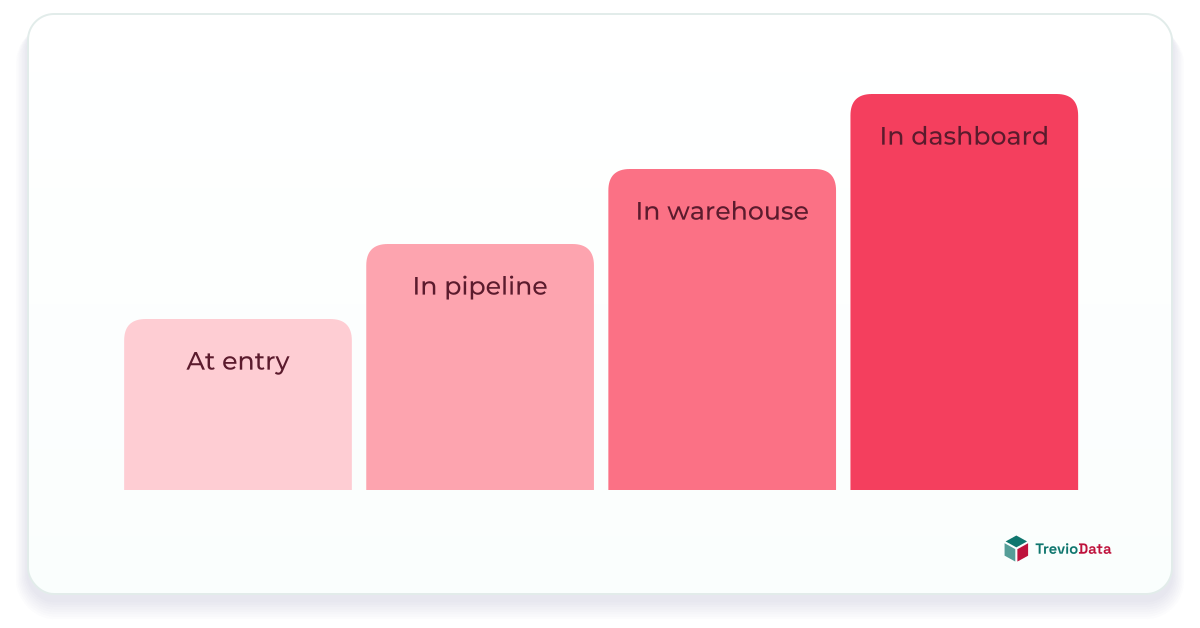
A wrong value costs a few seconds to prevent at entry and hours to find later. Make the owner of the source system responsible for the checks that apply there.
Do this: Check formats, required fields and allowed values at the form, the import or the integration, before bad records spread.
Avoid this: Cleaning the same errors again every month in the warehouse.
Monitor your pipelines and alert a person
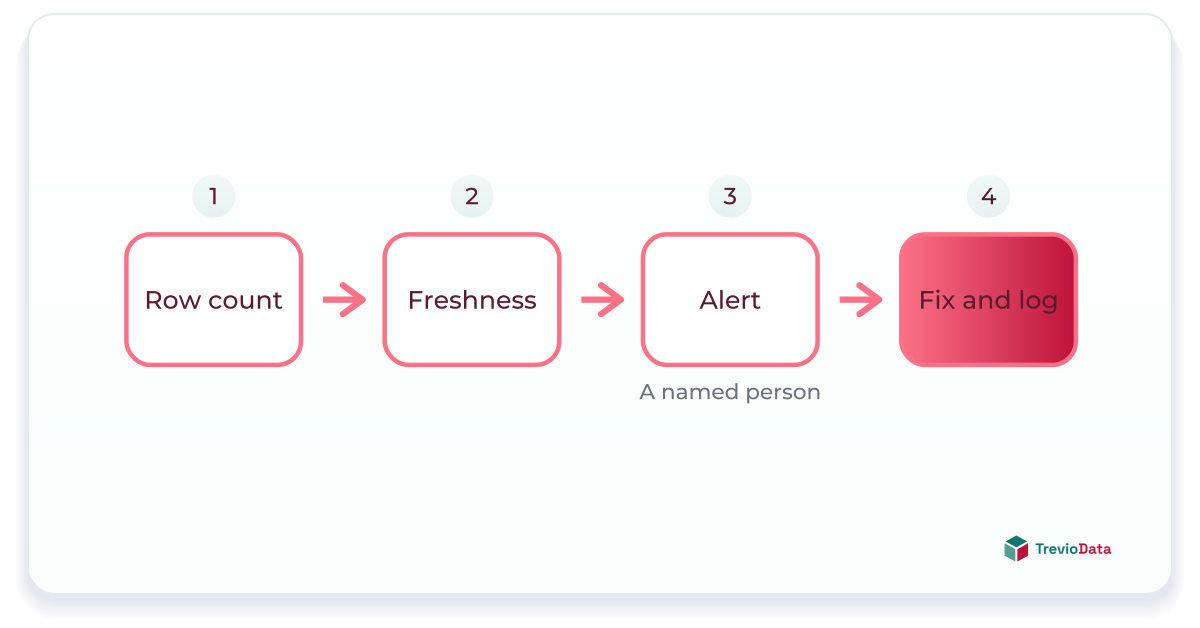
Silent failures are the ones that hurt. A job that fails loudly gets fixed the same day, while a job that quietly loads half the rows can distort reports for weeks.
Do this: Add row counts, freshness checks and failure alerts to every pipeline that feeds a report people rely on, and send the alert to a named owner.
Avoid this: Finding out from an executive that the dashboard is three days old.
Keep one trusted copy of each core record
Duplicate records lead to double mailings, split histories and wrong totals. The fix combines matching rules with a clear master source, and it needs upkeep to keep duplicates from returning.
Do this: Match and merge duplicates for customers and products, and decide which system is the master for each field.
Avoid this: Syncing the same record between five tools with no rule about which one wins.
Control access by role and by need
Least-privilege access limits the damage of mistakes and makes audits easier. Mask or hide sensitive fields in test and reporting environments, and keep a short log of who changed what.
Do this: Give people the data their job needs, review access every quarter and remove accounts when people leave or change roles.
Avoid this: Shared logins, wide default access and sensitive fields visible to everyone.
Document as you build
Documentation is cheaper when written during the work than months later. A catalog tool helps, but a shared page with consistent headings works well for smaller teams.
Do this: Keep a short description for each important table and pipeline: what it holds, where it comes from, who owns it and when it refreshes.
Avoid this: Leaving the knowledge in the head of the one engineer who built it.
Track quality with a small scorecard
A short scorecard shows owners where to look and shows leaders whether the work pays off. Choose measures tied to decisions people make, and retire measures that never trigger action.
Do this: Report four to six quality measures monthly, such as completeness, duplicate rate, failed loads and freshness, with a trend line.
Avoid this: Building a 40-metric dashboard that nobody opens.
Review and retire data on a schedule
Old data adds cost, confuses users and adds risk. Ask the owner of each domain once a year what can go, and check current legal requirements with your advisor before you delete anything regulated.
Do this: Set retention periods, archive what you no longer need and delete tables that nobody queries.
Avoid this: Keeping everything forever because storage looks cheap.
Why Prevention Pays More Than Cleanup
Gartner reports that poor data quality costs organizations an average of $12.9 million a year (Gartner). Your own number is likely smaller, but it follows the same pattern: errors that enter the system keep costing time until someone fixes them. A study in Harvard Business Review found that on average 47% of newly created data records had at least one critical error (Harvard Business Review). That is a good reason to put checks at the point of entry.
If you are deciding where to start, my data management strategy guide shows how to rank problems so you fix the costly ones first.
Putting the Practices in Order
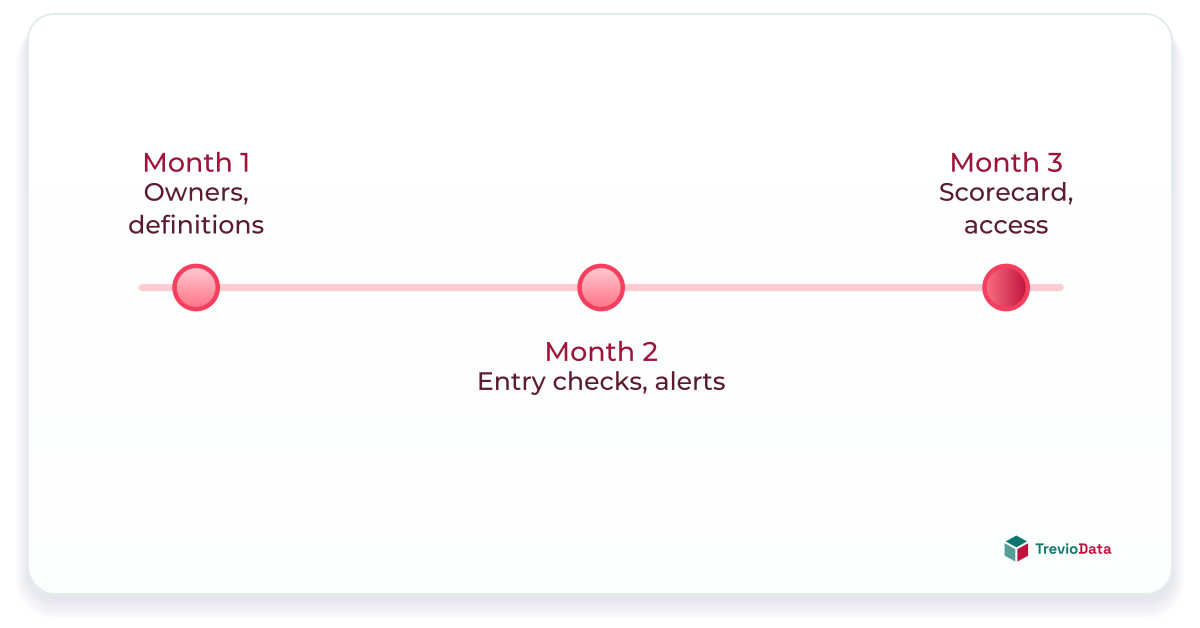
You do not need all nine at once. Here is the sequence I suggest, based on projects where the first quarter went well and a few where it did not.
- Month one: owners, definitions and a short scorecard. These cost mostly time and conversation.
- Month two: pipeline monitoring and entry checks on your two most important sources.
- Month three: access review, documentation templates and a duplicate-matching pilot.
- Later: retention rules and wider rollout across other domains.
The practices work together. Owners receive the alerts, definitions give the scorecard meaning and documentation keeps the knowledge when people leave. The data management framework shows how these parts fit into one model, and the data management roadmap places them on a timeline.
Answers to the Pushback You Will Hear
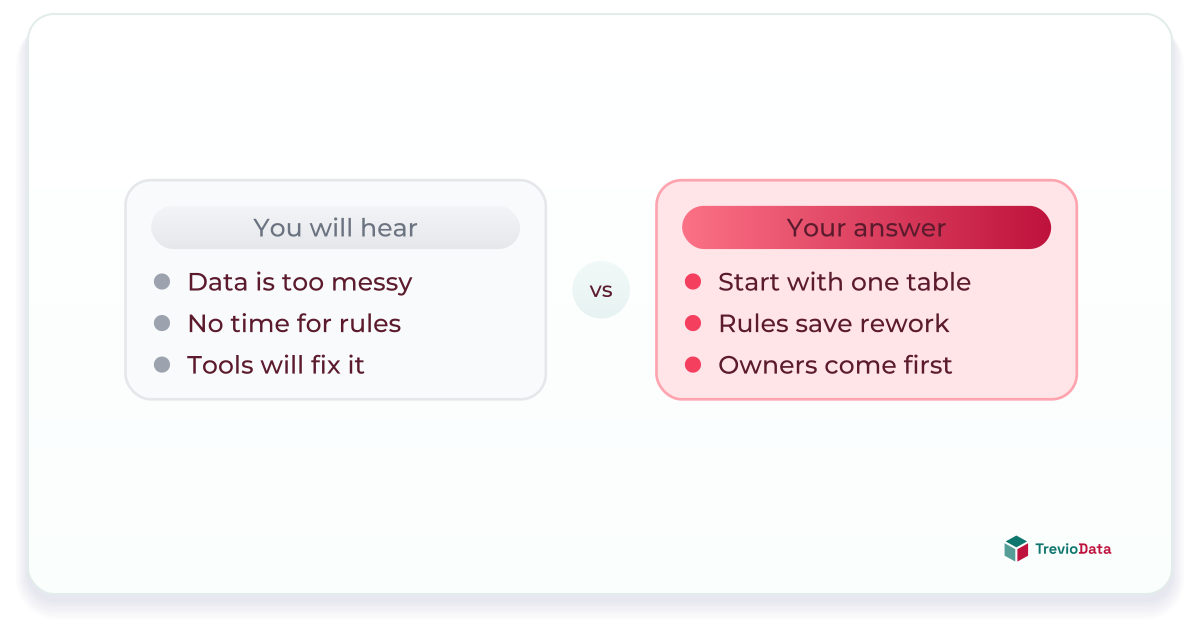
Every team I have worked with raises the same objections, and it helps to have answers ready. The first is that there is no time. Owners and definitions take a few workshops, and they return the time within weeks by cutting the number of disputes about reports. The second is that this is an IT job. It is not: IT runs the systems, but the business decides what the data means, so business leaders have to be part of it.
The third objection is that the data is too messy to start. Messy data is the reason to start, and you can begin with one domain. Pick the customer table or the product catalog, apply three practices there and show the before and after numbers. The fourth is cost. Most of the early practices need meetings and a few scheduled checks, not a new platform. Buy tools after you know which job each one has to do.
Finally, expect some people to resist new rules because they have workarounds that feel faster. Listen to what the workaround solves, and build that into the rule. A rule that ignores a real need gets ignored in return.
Which Tools Help With Which Practice
Tools support these habits but do not replace them. Pipeline tools give you monitoring and retries, catalog tools hold ownership and definitions, and quality tools run your checks on a schedule. My comparison of data management software shows which products cover which jobs, so you only buy what you will use.
If you already run a warehouse, start by using what it offers. Most cloud platforms include access controls, audit logs and scheduled queries that cover practices three, four and six at no extra cost.
For examples of how teams applied these habits and what they measured, see these data management examples.
How to Choose Your First Three Practices
Match the practice to your biggest pain today:
- If people argue about numbers, start with definitions and owners.
- If reports are late or wrong, start with pipeline monitoring and entry checks.
- If customer lists are messy, start with the single trusted copy and the quality scorecard.
- If audits worry you, start with access control and documentation.
Pick the three that match, set a date for each and review progress after thirty days. At the review, look at the numbers you recorded at the start and ask two questions: did the measure move, and did the people who use the data notice? If the answer to both is yes, add the next practice. If the measure moved but nobody noticed, you probably picked a problem that was not painful enough, so choose a different one. If neither changed, the practice was not applied properly, and the fix is usually clearer ownership rather than more tooling.
Questions About Data Management Best Practices
What Is the Most Important Data Management Best Practice?
Naming one owner for each important data domain. Almost every other practice, from quality rules to access control, depends on someone being responsible. It costs almost nothing, and it is the step teams skip most often.
How Many Best Practices Should I Start With?
Start with three: ownership, agreed definitions and monitoring of your most important pipelines. Those three remove most of the daily friction. Add the others one at a time as your team gets comfortable, because ten new rules at once usually means none stick.
Do These Practices Work for Small Companies?
Yes, in a lighter form. A small company can keep its owner list in a spreadsheet, its definitions on one wiki page and its checks in a few scheduled queries. The habits matter more than the tools.
How Do I Get My Team to Follow Data Rules?
Make the right path the easy one. Put definitions where people build reports, send quality alerts to the owner instead of a shared inbox and keep the rules short. People ignore long policies but follow short ones that save them time.
How Often Should I Review Data Quality?
Run automated checks every day for critical data, and review the results with owners monthly. A quarterly look at trends, such as duplicate rates and failed loads, shows whether the rules are working.
What Should I Measure to Know the Practices Are Working?
Pick a few numbers: failed pipeline runs per month, share of records with required fields filled, duplicate rate, hours spent on manual report preparation and time to answer a data request. Record them before you start, then check monthly.
Can I Automate Data Management Best Practices?
Many of them, yes. Quality checks, pipeline alerts, access reviews and documentation updates can all run on a schedule. Ownership and definitions need people, so automate the checking and keep the deciding human.
Sources
- Gartner: How to Improve Your Data Quality
- Harvard Business Review: Only 3% of Companies’ Data Meets Basic Quality Standards
Note: This article is general information, not legal, financial or tax advice. Figures and examples are estimates based on typical projects, so check current details with your providers and advisers before you decide.
Was this article helpful?
Thank you for letting us know.
Camille leads the Trevio editorial team and works with our consultants to turn real client projects into practical guides on data strategy, engineering and governance. Before joining Trevio, she spent 11 years in data engineering and analytics roles. She has since edited more than 300 articles on data management and reviewed pipelines and platforms from over 100 client projects. She is based in Denver, Colorado.